Emergency Dentist Marketing: How to Win the Urgent Call and Book the Same Day
Emergency dentist marketing works when four things line up: you appear for “emergency dentist near me” style searches, your hours and phone line are accurate at the moment someone is in pain, a human (or a well-designed fallback) answers, and you can offer a real same-day slot. Most practices invest in the first step and leak patients at the other three. This guide shows how to build the whole chain, what to measure, and what to fix first.
Key takeaways
- Urgent searches are decided in minutes. Speed of answer and a visible same-day option matter more than clever ad copy.
- Your Google Business Profile hours, special hours and phone number are the most important emergency “ad” you run.
- Google is retiring call-only ads. Plan around call assets on responsive search ads instead.
- Hold real emergency slots in the schedule every day, or the marketing will create calls you cannot convert.
- Measure answered calls, booked same-day visits and completed treatment, not clicks.
What makes emergency dental searches different?
Someone searching “broken tooth dentist open now” is not comparing five websites over a weekend. They are often in pain, on a phone, and will call the first practice that looks open and answers. That changes the marketing priorities:
- Proximity and “open now” signals carry more weight in the patient’s choice than brand familiarity.
- The phone call is the conversion. Forms are a backup, not the main path.
- Trust is judged in seconds, mostly from your review rating, recent review text and photos of a real office.
- Many emergency patients are new to you. If you treat them well, some become long-term patients and family referrals, which is where the real value sits.
Because the decision is so fast, a practice that answers on the second ring with a same-day option will usually beat a practice with a nicer website that sends the call to voicemail.
Which emergency searches should you target?
Group urgent queries by what the patient needs, then make sure each group has a matching page section and ad group. Here is a practical map:
| Search pattern (examples) | Patient need | Best destination | What must be visible |
|---|---|---|---|
| “emergency dentist near me”, “dentist open now” | Any urgent visit today | Google Business Profile, then emergency landing page | Today’s hours, tap-to-call, next available time |
| “toothache dentist same day”, “tooth pain swelling” | Pain relief and diagnosis | Toothache section on emergency page | What happens at the visit, pain-first approach |
| “chipped tooth repair”, “broken tooth dentist” | Repair, often cosmetic worry | Broken tooth section | Bonding or crown options, photos policy-compliant |
| “knocked out tooth what to do” | Immediate instructions | Short first-aid FAQ plus call button | Call now, time sensitivity |
| “lost filling”, “crown fell off” | Less urgent, still wants fast fix | Same-day booking page | Online booking or callback window |
| “weekend dentist”, “Saturday dentist” | Timing | GBP hours, emergency page | Accurate weekend hours or after-hours process |
Keep clinical first-aid tips short, conservative and reviewed by your dentists. Any page that gives emergency advice should tell readers to call 911 or go to a hospital emergency department for swelling that affects breathing or swallowing, uncontrolled bleeding, or serious facial injury.
How should you set up Google Business Profile for emergencies?
For urgent searches, your profile often does the selling before anyone visits your website. If you need a full walkthrough, start with our Google Business Profile guide for dentists, then apply these emergency-specific settings:
- Regular hours must be exact. If you close at 4 pm on Fridays, say so. A profile that shows “open” when the phone goes to voicemail damages trust and invites angry reviews.
- Use special hours for holidays and closures. Set them weeks ahead, not the morning of. Holidays are when emergency demand and closures overlap.
- Check “More hours” options. Google lets businesses add separate hour types for specific services, but the types offered depend on your category. Only add them if they are true. See Google’s own instructions on how to set More hours.
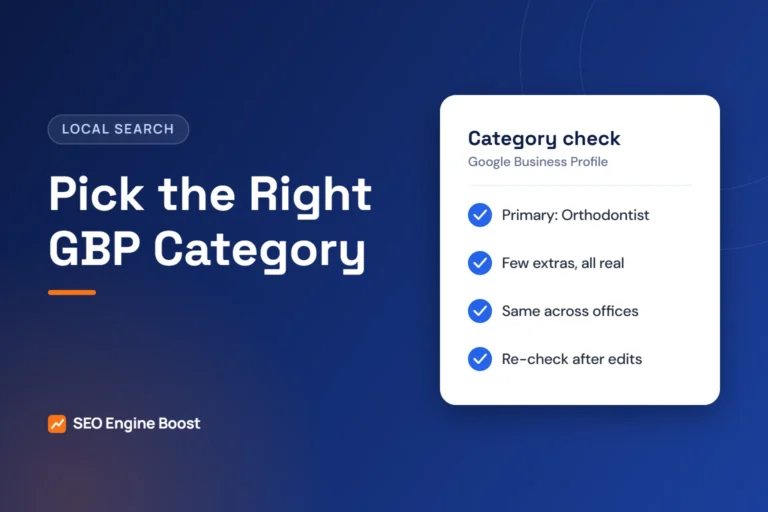
- Categories. Keep “Dentist” (or your specialty) as primary. If you genuinely provide emergency care, check whether “Emergency dental service” appears in your category list and add it as a secondary category. Do not add categories you do not offer.
- Add a services list that names emergency exams, toothache treatment, broken tooth repair and emergency extractions, using plain patient language.
- Turn on the appointment link and point it to a booking page that actually shows same-day options, not your homepage.
- Post photos of the entrance, parking and front desk. Urgent patients want to know exactly where to go.
- Seed accurate Q&A content through your site FAQ: “Do you see emergencies on Saturdays?” “Do you take walk-ins?” Answer honestly.
Are call-only ads still the best choice for emergency dentists?
For years, call-only ads were the default advice for urgent dental searches. That is changing. According to Google Ads Help, advertisers can no longer create new call-only ads as of February 2026, and existing call-only ads stop receiving impressions in February 2027. Google’s recommended path is responsive search ads with call assets.
Here is how to adapt an emergency campaign:
- Build a dedicated emergency campaign with its own budget so it does not compete with implants or Invisalign spend.
- Use responsive search ads with a call asset on every ad group, plus a location asset linked to your profile.
- Schedule the call asset only for hours someone answers. Ads that drive calls into voicemail waste the most expensive clicks you buy.
- Write headlines that answer the urgent question: “Same-Day Emergency Visits”, “Call Now, Seen Today”, “Open Saturday 8 to 1” (only if true).
- Send clicks to an emergency landing page, not the homepage.
- Track calls as conversions with a minimum duration so hang-ups and wrong numbers do not count as wins.
- Add negatives for jobs, free clinics (unless you participate), dental school and “how to” queries that are research, not booking intent.
Our Google Ads for dentists page covers campaign structure and bidding in more depth.
Not sure where your practice stands? A free growth audit lists your top three fixes for Google, Maps and AI answers, in writing. Get a free growth audit · See our dental marketing services
What should an emergency dental landing page include?
An emergency page is not a blog post. It should load fast on a phone and answer “can you see me today, where are you, and what will it cost me to find out?” Use this order:
- A headline with the service and location (“Emergency Dentist in [City], Same-Day Visits”).
- A large tap-to-call button above the fold, plus “Request a callback” for people who cannot talk.
- Today’s hours and what happens after hours.
- Three short reassurance points: you prioritize pain relief, you explain options and costs before treatment, and you accept or work with listed insurance plans.
- Sections for the common emergencies in the table above, each with a short “what to do now” note.
- A clear “go to the ER if” box for breathing, swallowing, heavy bleeding or major trauma.
- Map, parking and entrance photo.
- A few recent reviews shown with permission and within platform rules, without patient health details.
Avoid promising “pain-free” or “guaranteed same-day treatment.” Promise what you control: a same-day evaluation when slots are open and a clear plan. For design patterns that convert on mobile, see our notes on dental website design.
How do you handle after-hours emergency calls?
Most marketing waste in emergency dentistry happens on the phone. Decide your after-hours model on purpose, write it down, and make your profile and ads match it.
Choose an after-hours model
| Model | How it works | Best for | Watch out for |
|---|---|---|---|
| Doctor on-call line | Calls forward to a rotating dentist | Small practices with willing doctors | Burnout, inconsistent callbacks |
| Dental-trained answering service | Service takes details, pages on-call, books next morning | Most general practices | Scripts must be yours, not generic |
| Voicemail with callback promise | Message states callback time | Practices not offering after-hours care | Do not advertise “24/7” with this model |
| Extended hours | Staffed early mornings, evenings or Saturdays | Busy suburbs, multi-doctor offices | Staffing cost, must stay consistent |
A simple call script
- “Thank you for calling [Practice]. Are you calling about a dental emergency today?”
- “I’m sorry you’re dealing with that. Can I get your name and the best number in case we get cut off?”
- “Is there swelling that makes it hard to breathe or swallow, or bleeding that won’t stop?” If yes: advise calling 911 or going to the ER now.
- “We can see you today at [time] or [time]. Which works better?”
- “Before you come in, I’ll text you our address and parking info.” (Only text patients who have agreed to receive texts, and confirm your consent process with counsel.)
Every missed emergency call is usually a lost patient, since they simply call the next result. If you are not sure how many you miss, our guide to fixing missed calls and the missed call revenue calculator help you size the problem with your own numbers.
How do you make same-day booking actually work?
Marketing can only fill slots that exist. Practical options:
- Protect emergency blocks each day (for example, one late-morning and one mid-afternoon slot). Release them to routine patients only late in the day.
- Give front desk a clear decision tree for limited exam versus same-day treatment so they do not have to interrupt a doctor for every call.
- Prepare a financial conversation script so the patient hears the exam fee and that treatment options will be explained before anything is done.
- Schedule the follow-up before they leave. The emergency visit should end with a booked comprehensive exam or treatment visit.
Illustrative example: if a practice receives 40 emergency calls a month, answers 30, and books 18 of those, improving answer rate to 36 at the same booking ratio adds roughly 3 to 4 extra visits without any new ad spend. Run the same math with your own call logs.
How do reviews and local SEO support emergency visibility?
For urgent “near me” searches, the map results matter. Our local SEO for dentists guide covers the full approach. Emergency-specific points:
- Ask emergency patients for reviews after the follow-up, when they are out of pain and grateful. Ask every patient the same way.
- Do not gate or reward reviews. Google’s policy says businesses should not discourage negative reviews or selectively solicit positive ones, and the FTC’s 2024 rule prohibits incentives conditioned on positive sentiment.
- Reply to reviews without confirming anyone is a patient. Thank the reviewer and invite them to call the office.
- Make your website and profile say the same thing about hours, emergency availability and address.
For an ethical request process, see how to get more Google reviews.
What should you measure each month?
- Emergency calls received (from call tracking, split by profile, ads and website).
- Answer rate during open hours and after hours.
- Emergency visits booked and kept.
- Emergency patients who booked a follow-up or comprehensive exam.
- Cost per booked emergency visit from ads.
- Review count and rating trend.
If calls rise but booked visits do not, fix the phones and schedule before spending more on ads.
Want this done for your practice? We set up emergency-ready Google Business Profiles, call-tracked Google Ads and landing pages built for same-day booking. Start with a free growth audit or see our published prices.
Frequently asked questions
What is emergency dentist marketing?
Emergency dentist marketing is the set of search, maps, ads, phone and scheduling steps that help a practice appear for urgent dental searches and turn those calls into same-day visits.
Can I still use call-only ads for emergency dental patients?
Google stopped allowing new call-only ads in February 2026, and existing ones stop serving in February 2027. Use responsive search ads with call assets scheduled for the hours your phones are answered.
Should I list my practice as open 24/7?
Only if a person or on-call dentist can genuinely respond at all hours. Listing 24/7 hours while calls go to voicemail frustrates patients and invites negative reviews.
How many emergency slots should I hold each day?
Start with the number of emergency calls you book on an average day from your call logs, hold slightly more than that, and release unused slots late in the day.
Do emergency patients become long-term patients?
Some do, especially when the visit ends with a booked follow-up and a clear treatment plan. Track how many emergency patients return for a comprehensive exam to see your own conversion rate.