Location Pages for Orthodontic Practices: A Practical Template
An orthodontic location page is a unique page for one office. It shows that office’s exact name, address, phone, hours, team, directions and services. Link each Google Business Profile to its own page. Avoid near-identical city pages with swapped place names, because Google treats them as doorway pages.
Location pages matter most for groups with two or more offices. They also help a single office that patients reach from several towns. This guide gives a section-by-section template, shows how to keep each page genuinely different, and explains how the page supports your Business Profile.
Key takeaways
- Build one page per real office, and link each Business Profile to its own page.
- Fill each page with details only that office has: team, hours, parking, photos and directions.
- Do not create pages for towns where you have no office. Google calls that doorway abuse.
- Match the name, address and phone on the page exactly to the Business Profile.
In this article
- What a location page is, and what it is not
- Why each office needs its own page
- The location page template
- How to keep each page unique
- Connecting the page to your Business Profile
- Structured data for location pages
- URL structure and site navigation
- Moves, closures and part-time offices
- Frequently asked questions
What a location page is, and what it is not
A location page describes a physical office that patients can visit. It answers practical questions. Where is it? When is it open? Who will I see? How do I book?
It is not a city page built only to rank. Google’s spam policies describe doorway abuse as pages “created to rank for specific, similar search queries.” One listed example is “having multiple domain names or pages targeted at specific regions or cities that funnel users to one page.”
| Location page | Doorway city page | |
|---|---|---|
| Represents | A real office with staff and hours | A town you want to rank in |
| Content | Unique details about that office | The same text with the city name swapped |
| Linked from Business Profile | Yes, from that office’s profile | No profile exists |
| Helps patients | Yes: directions, hours, team | Rarely; it funnels to another page |
| Risk | Low when content is real | Can break Google’s spam policies |
If patients drive in from nearby towns, mention those towns naturally on the real office page. For example, a page can say the office is a short drive from two named suburbs. That is helpful context, not a separate page.
Why each office needs its own page
Google’s Business Profile guidelines ask you to “provide a website that represents your individual business location.” For a group, the home page represents the brand, not one office. A location page does represent the office.
Local SEO experts also value matching details. In Whitespark’s 2026 Local Search Ranking Factors survey of 47 experts, “HTML NAP matching GBP NAP” ranked 15th of 187 local pack factors. NAP means name, address and phone. That survey is expert opinion, not Google data.
A dedicated page also helps patients. A parent choosing between two offices wants the right address, hours and phone in one place. Sending them to a home page with five addresses adds friction.
For multi-office groups, location pages are part of a wider plan. See our SEO for orthodontic groups service for how we structure sites with many offices.
The location page template
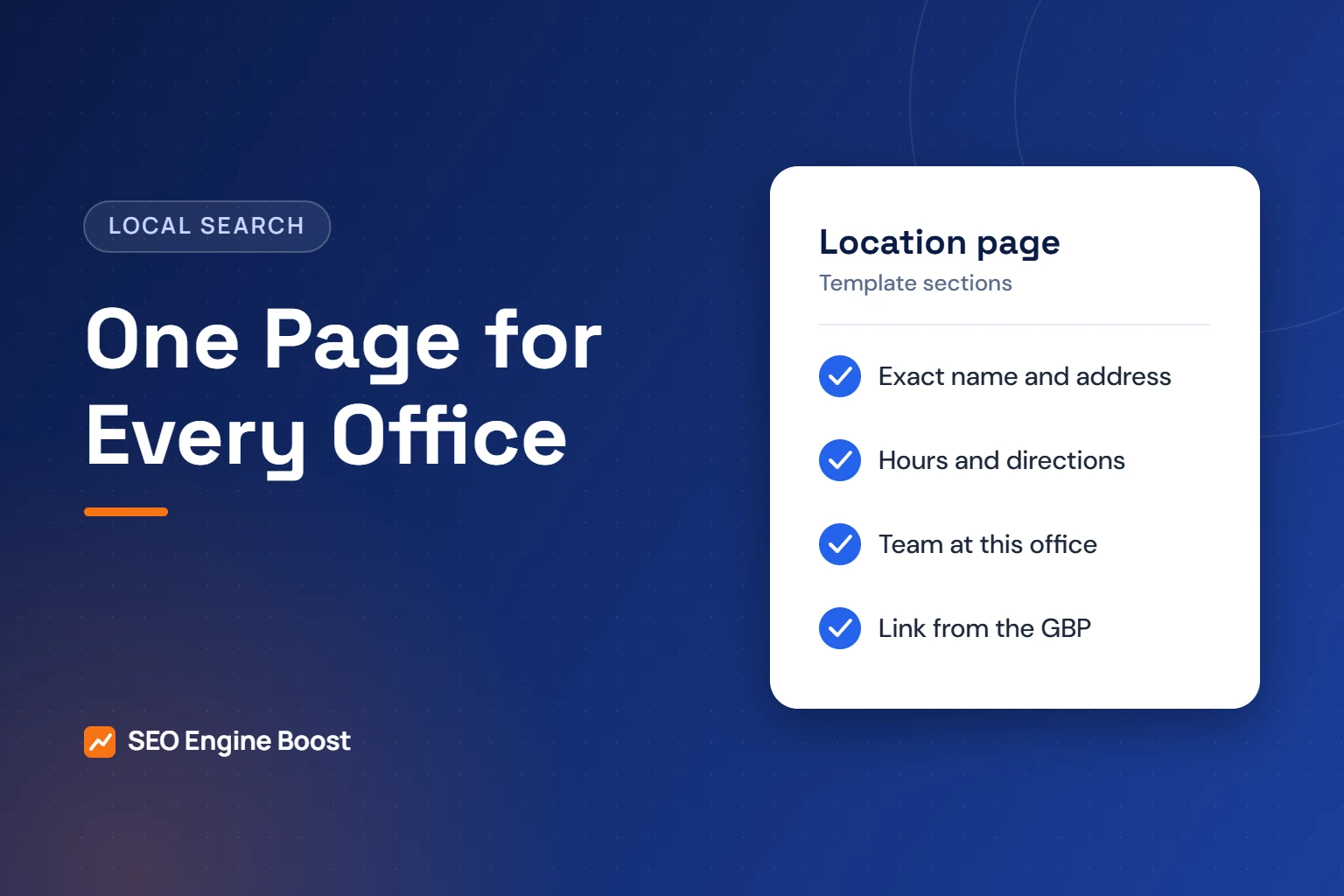
Use this as a checklist for each office. Not every row needs a long section. Some are one line.
| Section | What to include | Why it helps |
|---|---|---|
| H1 and intro | Practice name plus the office area, and one sentence on what the office offers | Tells patients and Google which office this is |
| NAP block | Name, full street address with suite, and phone, matching the Business Profile exactly | Consistency with the profile and directories |
| Hours | Days and times for this office only, including late or early days | Offices in a group often keep different schedules |
| Map and directions | Embedded map, parking notes, building entrance, transit options | Answers the first practical question |
| Team at this office | Doctors and key staff who work here, with links to their bio pages | Builds trust and is unique to the office |
| Treatments offered here | Short list linking to treatment pages | Some offices may not offer every service |
| Photos | Real photos of this office: exterior, front desk, treatment area | Unique and helps patients recognize the building |
| Insurance and payment | Plans accepted and financing options, if they differ by office | Removes a common reason for calls |
| Languages spoken | Only languages staff at this office actually speak | Real, office-specific detail |
| Reviews | Link to this office’s Google reviews | Shows recent patient experience for this office |
| FAQs | Three to five questions patients ask about this office | Covers local questions, such as parking or after-school slots |
| Booking | Form or button that books at this office, plus click-to-call | The page’s main job |
Keep the page easy to scan on a phone. Most of these sections can be short. The goal is to answer the patient’s questions, not to hit a word count.
Who should write and review each page
The office manager knows the practical details best. A doctor at that office should review anything clinical, such as which treatments are offered there. Your marketing lead or agency then edits for clarity and checks that the details match the Business Profile. Set a reminder to review every location page at least twice a year. Hours, staff and parking change more often than most practices expect.
How to keep each page unique
Duplicate pages are the most common problem with location pages. A group copies one template, swaps the address and stops there. Google’s spam policies list “creating substantially similar pages” as part of doorway abuse.
The fix is to collect details that only one office has. Ask each office manager to answer these questions:
- Which doctors and team members work here, and on which days?
- What are the exact hours, including any late or Saturday sessions?
- Where do patients park, and which entrance do they use?
- Is there public transit nearby? Which stop?
- Which treatments are offered here, and which are offered only at another office?
- Which languages do staff at this office speak?
- What do new patients ask most often when they call this office?
- What does the building look like? Can we take new photos this month?
These answers turn a template into a real page. They also give you FAQ content that no other site can copy.
Running more than one office?
We can review your location pages and Business Profiles together and show where details do not match.
Connecting the page to your Business Profile
Each office’s Business Profile should link to that office’s location page, not the home page. This follows Google’s request for a website that represents the individual location.
- Match the details. The name, address and phone on the page should match the profile exactly, including suite numbers.
- Keep the brand consistent. Google asks groups to “maintain consistent names and categories across all of your business locations.” Our guide to Business Profile categories for orthodontists covers this.
- Tag the link. Add UTM tags to the profile’s website link so analytics can separate profile visits from other organic visits.
- Update both together. When hours or phone numbers change, edit the page and the profile on the same day.
If you use call tracking, decide which number goes where before you publish. Our guide to call tracking for orthodontists explains how to do that without breaking consistency.
Structured data for location pages
Structured data, or schema markup, labels page details in code. Google’s local business documentation says to “define each local business location as a LocalBusiness type.” It also recommends using the most specific subtype possible.
There is no Orthodontist type on schema.org. The closest fit is Dentist, which schema.org lists under LocalBusiness and MedicalBusiness. Google’s Business Profile does have an Orthodontist category, but that is a different system.
Keep expectations realistic:
- Google says it “does not guarantee that features that consume structured data will show up in search results.”
- Ahrefs tracked 1,885 pages that added schema and published the results in May 2026. Adding schema did not meaningfully raise citations in AI Overviews, AI Mode or ChatGPT.
- Our advice: keep the markup in line with what the page shows. Do not mark up details patients cannot see.
Schema is good housekeeping, not a ranking shortcut. Our guide to schema markup for orthodontic practices covers the details.
URL structure and site navigation
Patients and search engines should be able to find every office in two clicks. This is agency guidance that works well for most groups:
- One hub page. Create a Locations page that lists every office with its address, phone and a link.
- Simple URLs. Use a pattern such as /locations/office-area/. Keep it short and readable.
- Link from the footer. List each office with its phone number in the site footer, or link to the hub if you have many offices.
- Link from bios and treatment pages. A doctor’s bio should link to the offices where that doctor works.
Avoid creating more than one page for the same office. Google’s Business Profile rules say “do not create more than one page for each location.” The same logic keeps your website clean.
Moves, closures and part-time offices
Offices change. Plan for these situations so patients and search engines are not confused.
- An office moves. Update the existing page with the new address. Keep the same URL if the office keeps its identity. Update the Business Profile and directories the same week.
- An office closes. Mark the profile as closed. Redirect the page to the nearest open office or to the Locations hub. Explain the change on the destination page.
- A part-time satellite office. Give it its own page if patients visit it. State its limited days clearly. Google’s guidelines expect a location that receives customers to be staffed during its stated hours.
- A new office opens. Publish the page before opening day, with the opening date and a way to book.
Location pages are one part of local search. Our guide to local SEO for orthodontists shows how they work with reviews, listings and the Business Profile.
Location pages are one piece of local visibility. See how our orthodontic SEO service combines them with your Google Business Profile and reviews.
Frequently asked questions
Do I need a location page if I have only one office?
Usually your contact page or home page can serve as the location page for a single office. Make sure it shows your exact name, address, phone, hours, map and directions. Link your Business Profile to it. Add a separate page only when you open a second real office that patients can visit.
Can I make pages for nearby towns without an office there?
We advise against it. Google’s spam policies list pages targeted at specific regions or cities that funnel users to one page as doorway abuse. Instead, mention nearby towns naturally on your real office page. For example, say how long the drive takes and where to park.
How long should a location page be?
There is no set length. A good page answers a patient’s practical questions about that office. Where is it? When is it open? Who works there? How do I book? For many offices that takes a few hundred words plus a map, photos, FAQs and a booking form.
What schema type should an orthodontic location page use?
Schema.org has no Orthodontist type. Use Dentist, which sits under LocalBusiness and MedicalBusiness, with each office marked up as its own location. Google does not guarantee any search feature from markup. An Ahrefs study in May 2026 found that adding schema did not raise AI citations.
Should the Business Profile link to the home page or the location page?
For a group with several offices, link each Business Profile to its own location page. Google’s guidelines ask for a website that represents your individual business location. A single-office practice can link to its home page if that page shows the office details clearly.
Sources
- Google Business Profile Help: Guidelines for representing your business on Google
- Google Search Central: Spam policies for Google web search (updated August 28, 2026)
- Google Search Central: Local business (LocalBusiness) structured data (updated September 8, 2026)
- Schema.org: Dentist type
- Whitespark: 2026 Local Search Ranking Factors (November 6, 2025)
- Ahrefs, Louise Linehan: We Tracked 1,885 Pages Adding Schema. AI Citations Barely Moved. (May 11, 2026)
Keep reading
See where your practice stands
If you would like a second pair of eyes on your own practice, we offer a free growth audit: a manual review of your local visibility, website, reviews and content, with a prioritized list of what to fix first.
Check the profile each page supports: use our free Google Business Profile checker to review each office’s listing.