
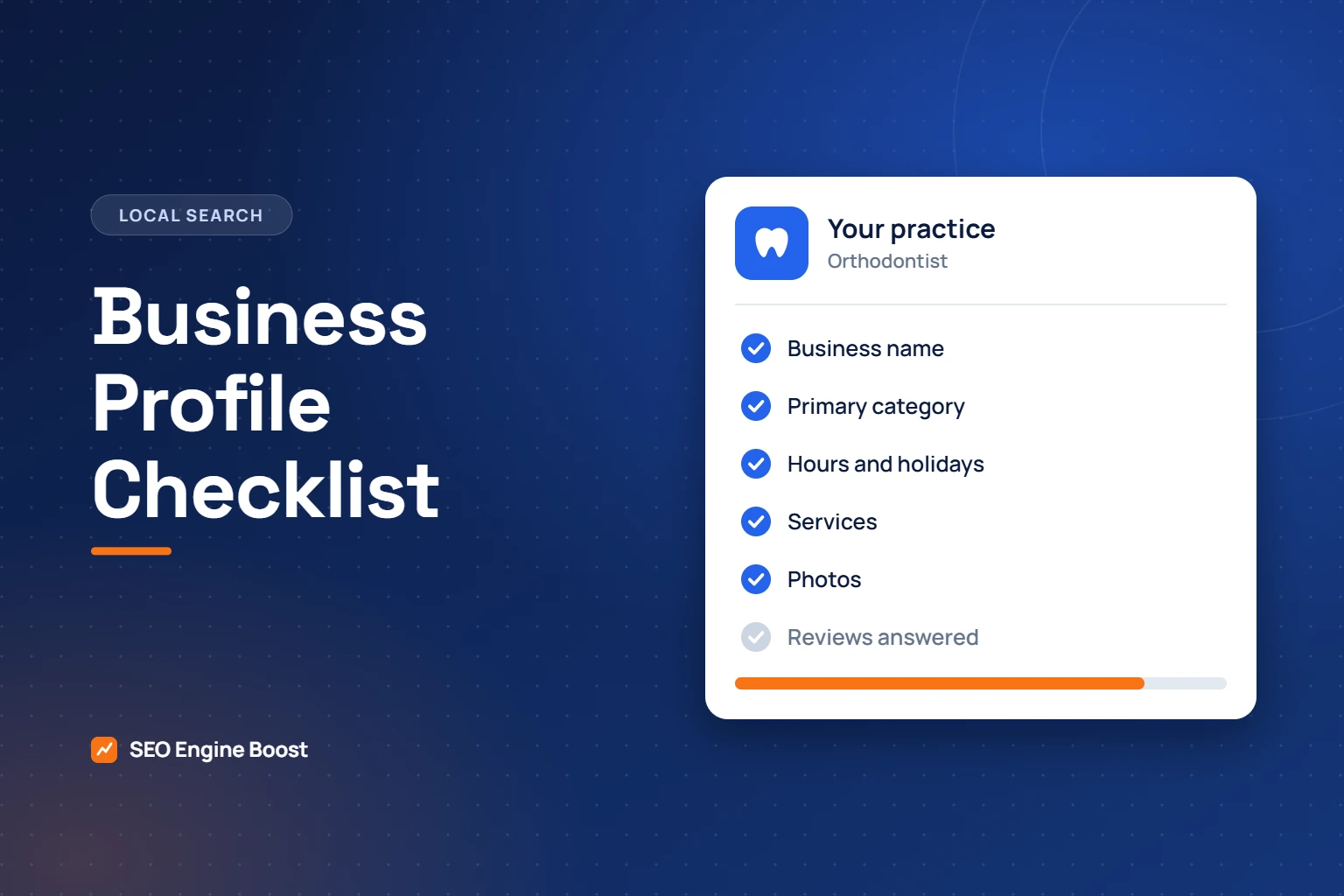
Google Business Profile for Orthodontists: A Complete Checklist
A complete, accurate Google Business Profile is the single most useful thing an orthodontic practice can do for local visibility. Google says businesses with complete and accurate information are more likely to show up in local search results. This Google Business Profile checklist covers every part of the profile, in the order we review it.
Prefer paper? The same checklist is available as a one-page PDF to print and tick off. No email address is needed.
Key takeaways
- Use your real business name and set the primary category to Orthodontist.
- Keep hours, services and photos complete and current. Google says complete profiles are more likely to appear.
- Ask every patient for a review, reply to each one, and never confirm that a reviewer is a patient.
In this article
- Business name
- Categories
- Address, service area and phone
- Hours
- Services and description
- Photos
- Posts and questions
- Reviews
- Practitioner profiles
- Multiple locations
- A monthly Google Business Profile checklist
- How to use this Google Business Profile checklist
- Writing services in the words patients use
- An example business description
- A photo list that covers what parents want to see
- Reading the performance numbers
- Mistakes that weaken a profile
- A quarterly review
- Where the profile fits in local search
- Frequently asked questions
- The checklist in one minute
- Setting up a profile for a new practice or a second location
Business name
- Use your real-world name exactly as it appears on your signage and website.
- Do not add treatments, cities or taglines. Google’s guidelines say unnecessary information in the name is not permitted and could result in suspension.
Categories
- Set the primary category to Orthodontist.
- Add secondary categories only if they describe what the practice is. Google asks for the fewest categories that describe your core business.
- Do not use categories as keywords.
Address, service area and phone
- Use the same address format everywhere, including suite number.
- Use a local phone number that reaches the front desk.
- If you share a building with a general dentist, make sure the two profiles are clearly separate.
Hours
- Enter regular hours for every day.
- Add special hours for holidays and closures in advance.
- Update hours the day they change. Showing as open when you are closed frustrates patients and invites bad reviews.
Services and description
- List each treatment as a service: braces, clear aligners, early treatment, adult treatment, retainers.
- Describe them in the words patients use.
- Write a plain description of who you treat and where. No superlatives.
Photos
- Exterior and entrance, so first-time visitors recognize the building.
- Reception, treatment area and technology.
- The team. Real people, not stock images.
- Patient photos only with written authorization.
Want your profile checked against this list?
We review your Business Profile by hand as part of the free growth audit.
Posts and questions
- Post regularly about treatments, events and common questions.
- Check the questions section and answer them yourself before someone else does.
Reviews
- Ask every patient, with no reward. Google prohibits incentives and selectively soliciting positive reviews.
- Reply to every review, briefly.
- Never confirm that the reviewer is a patient or mention their treatment. See how to respond to reviews safely.
Practitioner profiles
Google’s guidelines allow public-facing practitioners to have their own profiles, alongside a separate profile for the practice. In a multi-doctor practice this can split reviews between profiles, so decide deliberately and name each profile as the guidelines describe.
Multiple locations
Each office needs its own verified profile, phone number and landing page on your website. Link each profile to its own location page rather than the home page.
A monthly Google Business Profile checklist
- Check hours and holiday closures for the coming month.
- Add two or three new photos.
- Publish at least two posts.
- Reply to all new reviews and questions.
- Review calls, direction requests and website clicks from the profile.
We manage all of this as part of our Business Profile service.
How to use this Google Business Profile checklist
Work through the checklist once from top to bottom, then keep it alive with the monthly routine. Most practices can finish the first pass in an afternoon.
| Step | Who does it | Time |
|---|---|---|
| First full pass through the checklist | Practice manager, with the doctor confirming services | Two to three hours |
| Photographs | Anyone with a good phone and natural light | One hour |
| Monthly routine | Front desk or practice manager | Thirty minutes a month |
| Quarterly review of the numbers | Practice manager and doctor | Thirty minutes a quarter |
Give one person ownership of the profile. Profiles drift out of date when everyone assumes someone else is watching them. Make sure the practice itself is the owner of the profile, with staff and any agency added as managers. If an employee or a vendor created it under a personal account, transfer ownership now rather than when they leave.
Writing services in the words patients use
Patients do not search in clinical language. List services under the names they type, then use the description to explain.
| Clinical term | What patients tend to search for | Service name to use |
|---|---|---|
| Fixed appliances | Braces, metal braces, clear braces | Braces |
| Clear aligner therapy | Clear aligners, invisible braces | Clear aligners |
| Interceptive treatment | Early braces, braces for kids | Early treatment for children |
| Adult orthodontics | Braces for adults, teeth straightening | Adult treatment |
| Retention | Retainers, replacement retainer | Retainers |
Keep each description to a few plain sentences: what it is, who it suits and how to start. Do not promise results or treatment times. Every case differs, and the profile is not the place for claims you would not make in the consultation room.
An example business description
The example below is for an invented practice. It shows the tone to aim for: specific, plain and free of superlatives.
“Riverside Orthodontics is a specialist orthodontic practice in Maple Grove. We provide braces, clear aligners, early treatment for children and treatment for adults. Consultations include an examination, photographs and a discussion of options and costs. We are open Monday to Friday, with early appointments for school-age patients. Parking is available behind the building.”
Notice what is missing: no “best”, no “number one”, no list of nearby towns and no keywords repeated for their own sake. Google’s guidelines ask for an accurate description of the business, and patients trust plain statements more than claims.
A photo list that covers what parents want to see
| Photo | Why it matters | Tip |
|---|---|---|
| Building exterior and sign | Helps first-time visitors find you | Take it from the direction most people arrive |
| Entrance and parking | Removes a small worry before the first visit | Show accessible parking and the door |
| Reception | Sets the tone | Photograph it tidy and lit, not empty and dark |
| Treatment area | Shows where care happens | Avoid any patient details on screens |
| Team at work | Builds familiarity | Get written consent from everyone shown |
| The doctor | Parents want to know who treats their child | Use a natural, recent portrait |
| Technology, such as a scanner | Explains what a visit involves | Add a short caption |
Replace photographs when the office, the team or the signage changes. Old photos of former staff are a common and avoidable problem. Never post a photo of a patient without written authorization.
Reading the performance numbers
The profile reports how people found and used it. Google’s help pages list the metrics a profile can show, including searches, views, directions, calls, website clicks, messages and bookings. Only the ones that apply to your business appear.
| Metric | What it tells you | What to do with it |
|---|---|---|
| Searches | The terms people used when the profile appeared | Check that treatment terms appear, not only your name |
| Views | How many people saw the profile | Watch the trend over quarters, not weeks |
| Calls | Taps on the call button | Compare with the calls your front desk recorded |
| Directions | Requests for a route to the office | A sign of real intent to visit |
| Website clicks | Visits from the profile to your site | Make sure the linked page matches the location |
These numbers describe interest, not patients. To connect them with consultations and starts, record a source for every new patient. The method is in measuring orthodontic marketing.
Mistakes that weaken a profile
- Keywords in the business name. “Smith Orthodontics Braces and Invisalign Springfield” is not a name. Google’s guidelines say unnecessary information in the name is not permitted and could result in suspension.
- The wrong primary category. A specialist practice listed as Dentist competes for the wrong searches.
- Duplicate profiles. Old listings from a previous address or a former partner confuse patients and split reviews. Find them and ask Google to merge or remove them.
- Hours that are never updated. A family that drives to a closed office rarely comes back, and may say so in a review.
- Unanswered reviews. Silence looks like indifference. Reply briefly to each one, without confirming that the reviewer is a patient.
- Stock photography. Parents can tell, and it tells them nothing about your practice.
- A link to the home page for every location. Each office should link to its own location page.
- Leaving it to an agency you no longer use. Check who has access, and remove anyone who should not.
A quarterly review
Once a quarter, step back from the monthly routine and ask five questions.
- Is everything on this Google Business Profile checklist still accurate, including holiday hours for the next three months?
- How many new reviews arrived, and did each one receive a reply?
- Which searches showed the profile, and are the main treatments among them?
- Did calls, direction requests and website clicks rise, fall or stay level compared with the previous quarter?
- Has anything changed in the practice, such as a new doctor, a new service or new equipment, that the profile does not yet show?
Write the answers down. A one-page record each quarter is enough to show whether the profile is improving and what to change next.
Where the profile fits in local search
Google says local results are based mainly on relevance, distance and prominence. The profile is your main tool for the first of those, and reviews contribute to the third. It cannot change how far a searcher is from your office. For the wider picture, including location pages and local mentions, see how to rank in the Google map pack and our guide to SEO for orthodontists.
Want a second pair of eyes on your profile?
A free growth audit is a manual review of your local visibility, website, reviews and content.
Frequently asked questions
How long does this Google Business Profile checklist take to complete?
A first pass usually takes an afternoon if the information is to hand: correct name, categories, hours, services, a short description and a set of photographs. Verification, if the profile has never been verified, depends on Google and can add time.
Who should own the profile?
The practice. Use an account that belongs to the business, not to an individual employee or an agency. Add other people as managers so that access can be removed when someone leaves.
Should each orthodontist have a separate profile?
Google’s guidelines allow public-facing practitioners to have their own profiles alongside the practice’s. In a practice with several doctors this can divide reviews between profiles, so decide on purpose. Many single-doctor practices keep one profile for the practice.
We share a building with a general dentist. Is that a problem?
Not if the two businesses are clearly separate: different names, different phone numbers, separate signage and separate profiles in the correct categories. Problems arise when the two are confused with each other, which often shows up as reviews landing on the wrong profile.
How often should we post?
Often enough that the profile looks current. Twice a month is a sensible minimum. Useful subjects include a new service, a change in hours, a community event or an answer to a question parents often ask.
What should we do about an unfair review?
Reply calmly and briefly, without confirming the reviewer is a patient or discussing any detail of care. If the review breaks the platform’s rules, report it through the platform. Do not offer anything in exchange for changing or removing it. See how to respond to patient reviews.
Does a complete profile guarantee a place in the map pack?
No. Google states there is no way to request or pay for a better local ranking. A complete, accurate profile improves relevance and supports prominence, which are two of the three factors Google names. Distance is the third, and it depends on where the searcher is.
Do we need this if we already have a good website?
Yes. For searches such as “orthodontist near me” the map results appear above the website results, and they come from the profile. The two work together: the profile brings the first look, and the website answers the questions that follow.
Can an agency manage the profile for us?
Yes, as a manager on a profile the practice owns. Asking patients for reviews and confirming clinical details should stay with your team. We handle the rest as part of our Business Profile service.
The checklist in one minute
- The name matches your signage, with nothing added.
- The primary category is Orthodontist.
- Address, phone and hours are correct, including holidays.
- Every treatment is listed as a service in patient language.
- Photographs are real, recent and consented.
- Every review has a reply that reveals nothing about the reviewer.
- Each location links to its own page.
- One named person checks all of this every month.
Print the one-page PDF version from the top of this article and keep it at the front desk. A profile that is checked on a schedule stays accurate. One that is checked “when someone remembers” does not.
Setting up a profile for a new practice or a second location
A new office needs its own profile from the start. The order below avoids the most common problems.
- Wait until the address is final and the signage is in place. A profile should represent a real location that patients can visit.
- Create the profile from an account owned by the practice, and set the primary category to Orthodontist straight away.
- Use a phone number that reaches that office, not a central line shared by every location.
- Build a location page on your website first, then link the profile to that page rather than to the home page.
- Complete verification as Google instructs, and do not change the name or address while it is in progress.
- Add hours, services and at least ten real photographs before you announce the opening.
- Start asking patients for reviews from the first week, with no reward and no filtering.
If you are moving rather than opening, update the existing profile instead of creating a new one, so that the reviews you have earned stay with the practice. Then correct the address on every other listing so that they all match. For the wider launch plan, see marketing a new orthodontic practice.
Keep reading
Reviews and Compliance
How to Get More Google Reviews for Your Orthodontic Practice (Within the Rules)
See where your practice stands
If you would like a second pair of eyes on your own practice, we offer a free growth audit: a manual review of your local visibility, website, reviews and content, with a prioritized list of what to fix first.