
Google Business Profile management
Google Business Profile for orthodontists, managed like a front desk
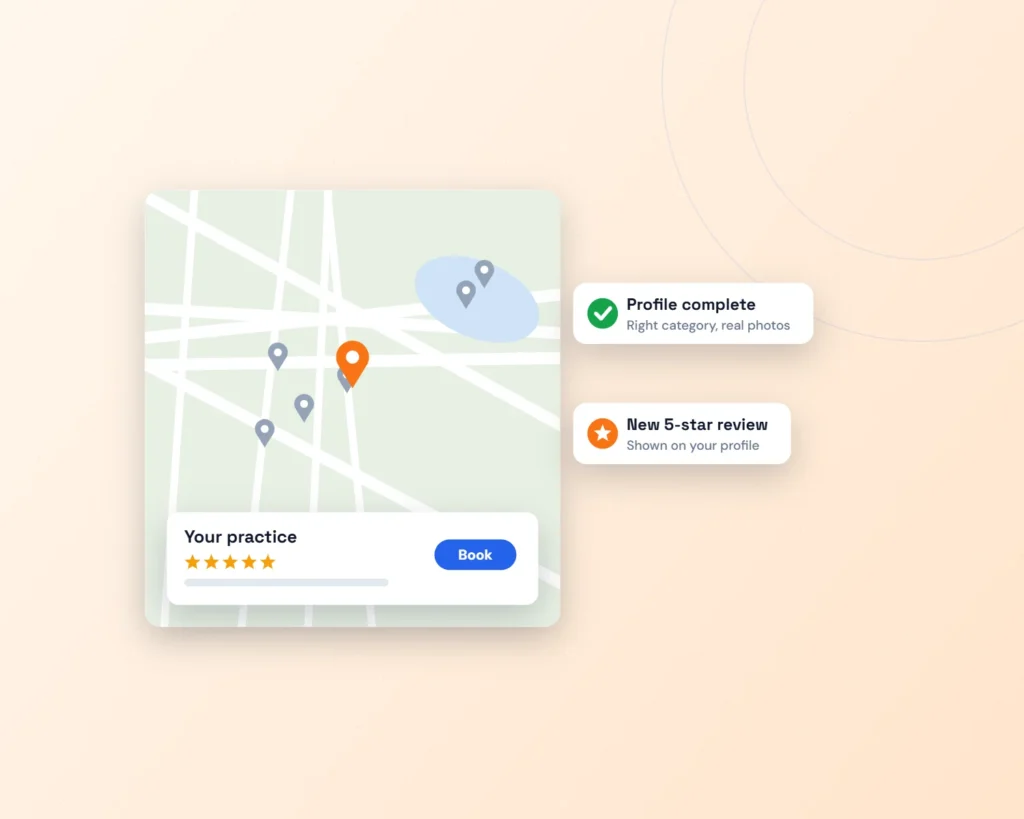
For many families, your Business Profile is the first impression of your practice, long before they open your website. It shows your rating, photos, hours and a call button in one glance. We set it up field by field, keep it current every month and turn it into a steady source of consultation calls.
- Every field completed and verified
- Updated every month
- Privacy-safe review replies

Profile health check
- Primary categoryOrthodontist
- Services listedComplete
- Recent photosUpdated
- Holiday hoursScheduled
- Booking linkTracked
$990/mo
Plans from $990 a month. Most start with a $790 audit, credited to month one. See pricing
No contract
Month-to-month, no setup fees, cancel any month.
You own it
Profile, analytics, ads and website accounts stay in your name.
Reviewed
Treatment pages clinically reviewed by a dentist completing an MSD in Orthodontics. How we work
What does Google Business Profile management include for an orthodontist?
Google Business Profile management keeps a practice’s map listing accurate, complete and active. For an orthodontist that means the right primary category, correct hours and services, treatment photos, regular posts, review requests and privacy-safe replies, and checking edits Google or the public suggest, so the listing keeps earning calls and direction requests. We treat the profile like a front desk: managed every week, accurate, and ready for the next family who finds it.
By Dr. Mahmoud Elsheikh · Updated
Want a quick score first? Try our free Google Business Profile checker.
3
main local ranking factors Google names: relevance, distance and prominence.
Source: Google Business Profile Help
1
profile per physical location that sees patients. Virtual offices are not eligible.
Source: Google guidelines
Real
name only. Google asks that the business name match signage, without added keywords or city names.
Source: Google guidelines
0
incentives for reviews. Google policy prohibits offering anything in exchange for reviews.
Source: Google review policies
Why the profile matters so much
Many families decide before they visit your website
Search "orthodontist near me" on a phone and the map results take up most of the screen. Each listing shows a star rating, review count, distance, hours and photos, with buttons to call or get directions. A family can shortlist and call a practice without ever reading a page of its website.
That makes your Google Business Profile one of the most valuable assets your practice owns, and one of the most neglected. Profiles drift out of date: a doctor joins, hours change for summer, a new treatment is added, a holiday closure is forgotten. Meanwhile competitors post updates, add photos and collect reviews. The profile that looks most active and complete tends to get the call.
Our Google Business Profile management for orthodontists treats the profile like a front desk that never closes. It is set up correctly once, then maintained every month with fresh photos, accurate details, updates, reviews and replies, and measured by the calls and bookings it produces.
Field by field
Everything on the profile, and how we set it
Small settings decide whether your profile appears for the right searches and whether families trust it.
Business name and categories
Your name must match your real-world signage. Adding keywords such as "Best Braces Orthodontist" breaks Google’s guidelines and can lead to suspension. Relevance comes from categories instead: Orthodontist as the primary category, plus secondary categories only where they genuinely describe services you provide.
Services and descriptions
Each treatment you offer, such as traditional braces, clear braces, clear aligners, early treatment, adult orthodontics and retainers, is added as a service with a short, accurate description. This helps the profile match specific searches and answers questions before families call.
Business description
A clear description of who you treat, what makes the practice different and what to expect at a first visit. Written for people, accurate, and free of promotional claims Google does not allow, such as links or prices.
Hours, special hours and attributes
Regular hours, holiday and summer hours set in advance, and attributes such as wheelchair accessibility, appointment requirements and online care options where they apply. Accurate hours prevent the most frustrating experience for a family: arriving or calling when you are closed.
Photos and video
Real photos of your team, office, treatment areas, technology and exterior, so families recognize the building when they arrive. We plan a steady flow of new images rather than one large upload. Patient photos are only used with documented consent.
Website, booking and phone links
The website link goes to the most relevant page, usually a location page for groups. The appointment link goes to a consultation page or scheduler. Both carry tracking parameters so we can measure what the profile produces, while the phone number stays consistent with your listings.
Updates, offers and events
Regular posts about new treatments, team news, community events and seasonal reminders show that the practice is active. Posts are not a magic ranking lever, but they support conversion and keep the profile current.
Monthly maintenance
A profile that stays current without your team chasing it
This is the routine we run for every profile we manage.
| Frequency | Task | Purpose |
|---|---|---|
| Weekly | Reply to new reviews | Shows care, protects reputation |
| Weekly | Check for suggested edits by the public | Prevents wrong details being applied |
| Twice a month | Publish an update or event | Keeps the profile active and useful |
| Monthly | Add new photos | Fresh, recognizable images of team and office |
| Monthly | Review services, attributes and links | Keeps relevance and tracking accurate |
| Monthly | Report calls, directions, clicks and bookings | Measures what the profile produces |
| Before holidays | Set special hours | Avoids closed-door experiences |
| Quarterly | Listing and duplicate scan | Removes conflicting information |
Reviews on the profile
Review replies that protect patient privacy
Reviews are the engine of your profile. They influence where you rank and whether a family calls. Replying to every review shows prospective patients that the practice listens, but healthcare practices have to reply carefully.
A reply must never confirm that the reviewer is a patient, mention treatment, or reveal anything from their record, even if the reviewer shared those details first. We write replies that are warm and professional, take criticism offline and stay within privacy rules.
Positive review example
"Thank you for taking the time to share this. Our team works hard to make every visit welcoming, and we appreciate your kind words."
Negative review example
"We take all feedback seriously and would like to understand your concerns. Please call our office manager at the number on our profile so we can talk directly."
Privacy first
Read our guide on responding to patient reviews within HIPAA for more examples.
What we measure
From profile view to booked consultation
The profile is measured by actions, not impressions alone.
What is included
Google Business Profile management services
Set up once correctly, then maintained and measured every month.
Full profile optimization
Categories, services, description, attributes, hours, links and photos completed and verified.
- Competitor profile comparison
- Fixes logged in a change log
Monthly management
Updates, photos, review replies, suggested-edit monitoring and link checks on a fixed schedule.
Duplicate and listing cleanup
Old addresses, former doctor listings and duplicates found and resolved.
Multi-location setup
A verified profile per office, consistent naming and a link to each location page.
Suspension help
Prevention through guideline-compliant settings, and reinstatement requests if a profile is suspended.
Self-check
Five-minute profile audit
Open your profile on a phone and check these.
Basics
- Name matches your signage exactly
- Primary category is Orthodontist
- Address and phone match your website
- Hours include upcoming holidays
Content
- Each treatment listed as a service
- Photos from the last three months
- Description explains your first visit
- An update posted this month
Reviews and links
- Every recent review has a reply
- No replies mention treatment
- Booking link goes to a consultation page
- Website link tracked
Deep dive
Getting more from your profile than most practices do
Beyond the basic fields, these are the details that separate a profile that merely exists from one that brings in consultations.
A photo plan instead of a photo dump
Profiles with a single upload session from years ago look abandoned. A simple quarterly photo plan keeps things fresh: the exterior from the parking lot so families recognize the building, the reception area, each treatment room, the team in everyday clothes and uniforms, and technology like intraoral scanners. Add a few new images every month rather than fifty at once.
Photos also answer silent questions. Is the office welcoming for young children? Is it accessible? Does it feel modern? Every image should answer one of those questions honestly.
Services written for searchers, not for the chart
A service list that says "Class II correction" means little to a parent. Describe each service the way families search: "Braces for kids and teens", "Clear aligners for adults", "Early orthodontic evaluation from age 7", "Retainers and retention checks". A short, accurate description under each one helps the profile match specific searches and sets expectations before the first call.
Updates that are actually useful
The best updates help a family make a decision or take a step: a reminder that summer appointments fill quickly, an explanation of what happens at a first visit, a welcome to a new doctor, a community event you are sponsoring. Each update should include a clear link, usually to the consultation page.
- Seasonal reminders before school breaks
- New team members and what they do
- Community events and sponsorships
- Explainers on first visits and treatment options
Groups, moves and closures
For multi-office groups, each profile links to its own location page, uses the same brand naming pattern and has its own photos and reviews. When an office moves, the existing profile is updated with the new address rather than replaced, so review history is kept. When an office closes, the profile is marked as permanently closed rather than deleted, and the location page redirects to the nearest office.
Avoiding suspensions
Most suspensions we see come from three causes: keywords added to the business name, an address that does not meet Google’s guidelines, or sudden large changes that trigger a review. Keeping the profile compliant from the start is far easier than recovering from a suspension, which can take weeks and costs visibility while it lasts.
Before you decide
What working with us looks like
Straight answers to what practice owners and managers ask before a first call.
| Question | Answer |
|---|---|
| What does it cost? | From $990 a month (Local Core) or $1,490 a month (Growth and AI Visibility). Most practices start with a $790 audit, credited to your first month if you continue. See pricing. |
| Is there a contract? | No. Month-to-month, no setup fees, cancel any month. |
| How long until we see movement? | Weeks 1 to 2: diagnosis. Weeks 3 to 6: foundation fixes. Weeks 6 to 10: treatment and location pages. Then ongoing growth work. Some changes show within weeks, others take months. See our process. |
| Who owns the accounts? | You do. Your Google Business Profile, Search Console, analytics, ads and website accounts stay in your name, and you keep everything if you leave. |
| Who does the work? | You work directly with the consultant, a dentist completing an MSD in Orthodontics. Every treatment page is clinically reviewed before it goes live. |
| What do you report? | A monthly report that leads with calls, forms and consultation requests, with map visibility, Search Console data, reviews and AI answer tests as supporting detail, plus a change log of every edit. |
| Can we see results? | We are a new agency, so we do not show client logos or claimed numbers. Our first case study documents our own site rebuild, with ranking data added at 30, 60 and 90 days. We also publish original research. |
| When are we not the right fit? | If you need social media managed, or want guaranteed rankings or a fixed number of new patients. Our honest comparison explains when a general agency suits you better. |
Business Profile questions
Google Business Profile for orthodontists FAQ
Clear answers on setup, rules and results.
What category should an orthodontist use on Google Business Profile?
Use Orthodontist as the primary category. Add secondary categories only if they genuinely describe services you provide, because unrelated categories can dilute relevance.
Can I add keywords like "braces" to my business name?
No. Google asks that your name match how it appears on signage and stationery. Adding keywords or locations can lead to suspension. Relevance should come from categories, services and your website.
How often should I post updates?
A steady rhythm, such as twice a month, keeps the profile active. Posts support conversion more than rankings, so focus on useful updates: new treatments, team news, events and seasonal reminders.
Do photos help my profile?
Real, recent photos help families recognize your office and trust the practice. They also keep the profile looking active. Avoid stock images and only use patient photos with written consent.
Should each office have its own profile?
Yes. Each physical office that sees patients with staff present should have its own verified profile, linked to its own location page.
What if someone edits my profile without permission?
Google allows the public to suggest edits, and some are applied automatically. We monitor suggested edits and correct inaccurate changes quickly.
What should I do if my profile is suspended?
First find the likely cause, such as a name with added keywords or an address issue. Fix it, then submit a reinstatement request with evidence like signage photos and business documents. We handle this process for clients.
How do I get more reviews without being pushy?
Ask every patient at a natural moment, such as the day braces come off, with a direct link sent by text or email. Never offer incentives and never ask only happy patients.
How do you measure profile performance?
We track calls, direction requests, website clicks and booking clicks from the profile, plus tracked consultation requests on your website, and report the trend monthly.
How long does it take for profile changes to show?
Most edits appear within a few days, although some are reviewed by Google first. Ranking effects from a more complete, active profile usually build over several weeks.
Can you manage our profile without our login?
Yes. You add us as a manager on your profile, so you stay the owner and can remove access at any time.
Keep exploring
Related services and guides
Local SEO for orthodontists
Rank across your whole service area.
Orthodontic reputation management
A review process that lasts.
Google Business Profile checklist
Every field, step by step.
How to rank in Google Maps
Practical ranking guide.
Get more Google reviews
Within the rules.
AI search optimization
How AI uses your profile data.
Free profile review
Find out what your profile is missing
We compare your profile with the practices that outrank you and send a field-by-field list of fixes. No obligation.
- Field-by-field review
- Competitor comparison
- Clear fixes