Privacy-Safe GA4 Setup for Orthodontic Practices
A privacy-safe GA4 setup for an orthodontic practice measures visits and consultation requests without sending names, emails, phone numbers or health details to Google. Google does not offer a HIPAA business associate agreement for Analytics. So keep tags off patient portals and HIPAA-covered pages, and decide those pages with your legal advisor.
This guide covers what Google and HHS say, which pages to tag, which events to track and the settings to change. It is general information, not legal advice. HIPAA questions belong with your compliance advisor, and state privacy laws may add rules. For design and build help, see our orthodontic website design service.
Key takeaways
- Google says it does not offer a BAA for Google Analytics and that customers should not set Analytics tags on HIPAA-covered pages.
- Track actions, not people: form submissions, calls and booking clicks, with no names, emails or treatment details in URLs, titles or parameters.
- Turn on data redaction and use consent mode, but remember HHS says a cookie banner is not a HIPAA authorization.
- A June 2024 court order vacated part of the HHS tracking guidance. The rest still stands, so get a legal read on your setup.
In this article
- What Google and HHS say about analytics on health websites
- Map your pages before you add the tag
- Keep personal data out of GA4
- Events worth tracking
- Consent mode and cookie banners
- Keep analytics data away from ad platforms
- A step-by-step GA4 setup checklist
- What GA4 will not tell you
- Frequently asked questions
What Google and HHS say about analytics on health websites
Two sources set the frame: Google’s own Analytics help page on HIPAA, and the HHS bulletin on online tracking technologies.
| Source | What it says | What it means for a practice |
|---|---|---|
| Google Analytics Help | Google “makes no representations that Google Analytics satisfies HIPAA requirements” and does not offer BAAs for it | Do not send Google anything that may be protected health information |
| Google Analytics Help | Authenticated pages are likely HIPAA-covered, and Analytics tags should not be set on them | No GA4 on patient portals, payment logins or forms behind a login |
| Google Analytics Help | Unauthenticated pages tied to health care services are more likely to be HIPAA-covered | Work with counsel to identify pages that do not relate to providing care |
| HHS | Tracking on an appointment page that collects an email address discloses PHI to the vendor | Form contents must never reach analytics or ad tools |
| HHS | Cookie banners that ask visitors to accept tracking are not a valid HIPAA authorization | Consent mode helps with cookie consent, not HIPAA |
| HHS | All tracking technology vendors must sign a BAA where PHI is involved | If a vendor will not sign, keep PHI away from it |
The 2024 court ruling
On June 20, 2024, a federal court declared unlawful and vacated a portion of the HHS guidance. The vacated part covered technology connecting a person’s IP address with a visit to a public page about specific health conditions or providers. HHS says it is evaluating next steps.
The rest of the guidance remains, including the parts on logged-in pages and appointment forms. Google’s own help page also still tells customers not to tag HIPAA-covered pages. So the ruling narrows the risk; it does not remove it.
Map your pages before you add the tag
Start with a list of every page type on your site. Then decide, with your advisor, where GA4 may run. The table shows a common starting point, not a legal determination.
| Page type | Examples | Starting position to discuss with your advisor |
|---|---|---|
| General practice information | About, team, careers, office tour | Generally lower risk; usually tagged |
| Treatment information | Braces, clear aligners, early treatment | Discuss; Google cautions about pages tied to care |
| Consultation request | Form page, thank-you page | Tag only if form fields and details never reach GA4 |
| Logged-in areas | Patient portal, online payments, records | Do not tag; Google says not to set tags on authenticated pages |
| Online scheduling tools | Booking widgets, appointment pickers | Treat as high risk; HHS cites scheduling pages as an example |
Document the decision for each page type. If your website platform uses one site-wide tag, ask your developer to restrict it by page path or template.
Questions to bring to your advisor
- Which of our public pages relate to providing care, and should GA4 run on them?
- Does any vendor on our site receive form data, and has each one signed a BAA?
- Which state privacy laws apply to our website visitors?
- How often should we review the tags on our site?
Bring a screenshot of every tag running on the site. A tag inventory makes the conversation faster and cheaper.
Not sure where your practice stands? A free growth audit lists your top three fixes for Google, Maps and AI answers, in writing. Get a free growth audit · See our orthodontic marketing services
Keep personal data out of GA4
Google’s policies prohibit sending GA any data that could identify a person. Google warns that personal data often slips in by accident, through URLs and page titles.
- URLs: Google says both the URL path and parameters must be free of personal data. Check form redirects and thank-you pages.
- Page titles: never put a patient’s name or appointment detail in a title.
- Form fields: Google advises removing personal data from user-entered text before it is sent.
- Campaign links: keep personal data out of UTM and other campaign parameters.
- Site search: people sometimes type names or symptoms into search boxes. Consider whether you need site search tracking at all.
Turn on data redaction
GA4 data redaction removes likely email addresses and chosen URL query parameters before collection. Google says email redaction is on by default for new properties. Older properties must turn it on. Query parameter redaction is something you set up yourself.
Know its limits. Google describes it as best effort. It works only for web data streams, and it does not cover the Measurement Protocol or data import. Redaction is a safety net, not a substitute for clean forms and URLs.
Not sure what your website sends to Google?
Dr. Mahmoud Elsheikh reviews your tags, events and forms himself, and your practice owns the GA4 property.
Events worth tracking
GA4 collects some events automatically through enhanced measurement. Others you add. Track what shows marketing performance, and nothing about a patient’s health.
| Action | GA4 event | How it is collected | Mark as key event? |
|---|---|---|---|
| Page views | page_view | Automatic; cannot be turned off | No |
| Started a form | form_start | Enhanced measurement, first form interaction in a session | No |
| Submitted a form | form_submit | Enhanced measurement | Yes, if it reliably means a consult request |
| Tapped the phone number | Custom event you name, such as phone_click | Added by you or your developer | Yes |
| Clicked a booking button | Custom event you name | Added by you or your developer | Yes, if no PHI is passed |
| Downloaded new-patient forms | file_download | Enhanced measurement | Optional |
| Left for a financing site | click (outbound) | Enhanced measurement | Optional |
What not to track
- Event parameters that name a patient’s condition or chosen treatment.
- Form answers, such as age, symptoms or insurance details.
- Any identifier from your practice management software.
- Activity inside the patient portal.
Test every event before launch. Submit a test form, then check that no name, email or phone number appears anywhere in GA4 reports.
Consent mode and cookie banners
Consent mode passes a visitor’s cookie choices from your banner to Google tags. Google describes two ways to set it up.
| Basic consent mode | Advanced consent mode | |
|---|---|---|
| When tags load | Blocked until the visitor grants consent | Load before the banner appears |
| If consent is declined | No Google tags fire | Tags send cookieless pings |
| Modeling in GA4 | Available, with less complete data | Behavioral and conversion modeling enabled |
Basic mode sends nothing until consent is given. That makes it the more cautious choice for a health practice. Advanced mode gives better modeled data but sends cookieless pings even when people decline.
Remember the HHS point. A banner that asks visitors to accept tracking is not a HIPAA authorization. Consent mode helps with cookie consent laws. It does not make it acceptable to send PHI to Google.
Keep analytics data away from ad platforms
The biggest privacy risks usually come from advertising tags, not from page view counts. Pixels from ad platforms can read more than you expect if they sit on form pages.
- Do not place ad pixels on consultation forms, scheduling tools or the patient portal.
- Review any setting that links Analytics to advertising products, and turn on only what your advisor approves.
- Do not send form contents, even hashed, to ad platforms without advice from your compliance advisor.
- Remove old tags left behind by past vendors.
Our guide to tracking pixels and patient privacy covers ad pixels in more depth. For the broader rules, see HIPAA marketing basics for orthodontists.
A step-by-step GA4 setup checklist
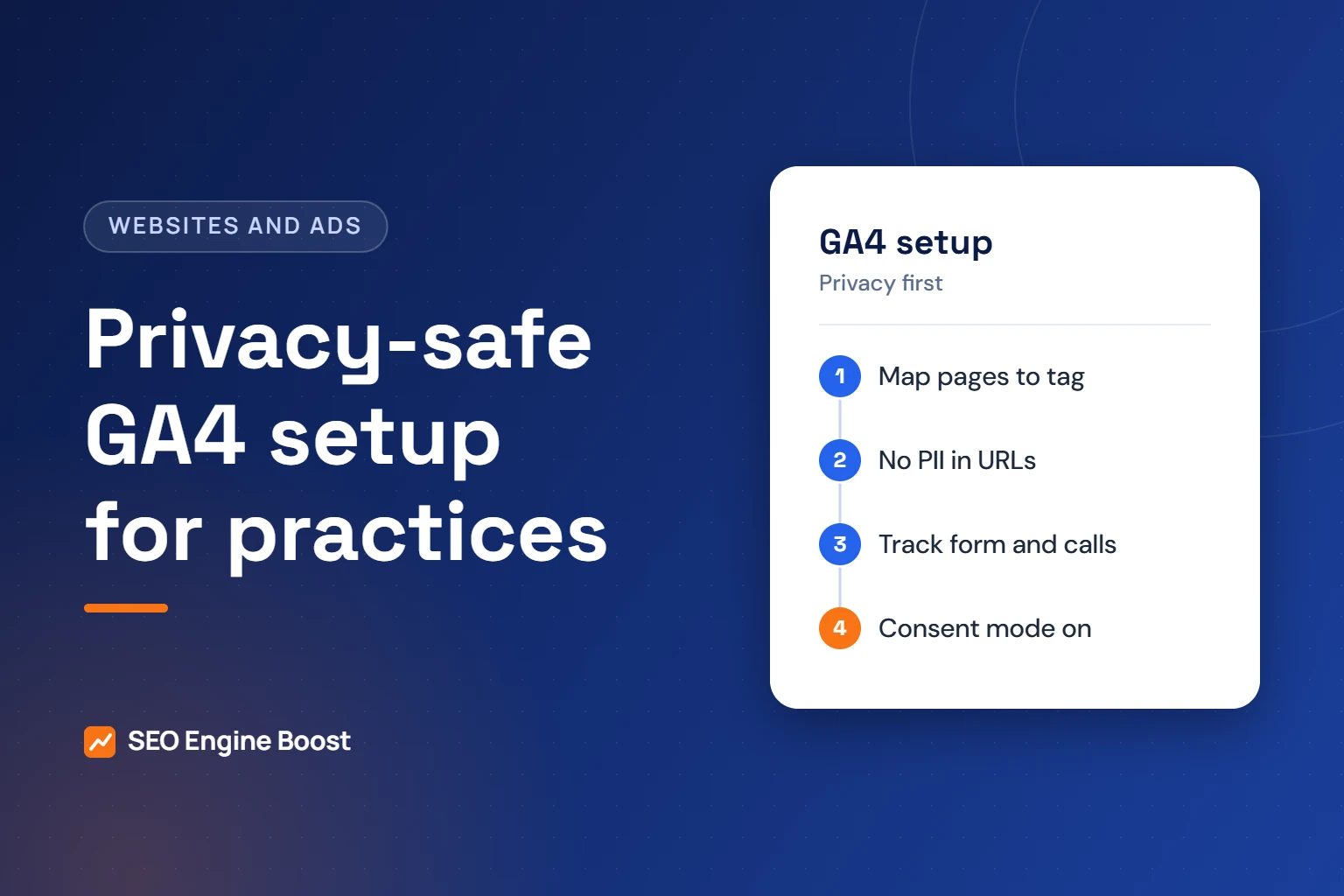
- Create the GA4 property under a Google account the practice owns, not an agency or vendor account.
- Add a web data stream and review enhanced measurement settings. Turn off events you do not need.
- Confirm email redaction is on, and set up query parameter redaction for any form or booking parameters.
- Agree on your page map with your advisor and restrict the tag to approved pages.
- Clean URLs, page titles and thank-you pages so they carry no personal data.
- Add custom events for phone taps and booking clicks, with no health details in parameters.
- Mark consultation actions as key events.
- Set up consent mode with your cookie banner, choosing basic or advanced with your advisor.
- Test with dummy data and check reports for any personal data.
- Write down what is tracked, where and why, and review it every quarter.
This checklist reflects our agency approach. Under our published terms, the practice owns its GA4 property, website and ad accounts outright.
What GA4 will not tell you
GA4 shows website behavior. It does not show whether a consultation was booked, attended or turned into a treatment start.
- Phone calls: GA4 sees a tap on the number, not whether the call connected. Our guide to call tracking for orthodontists covers the options.
- Booked consults: these live in your practice management software.
- Treatment starts: also in your practice software, and never something to send to GA4.
Combine GA4 counts with monthly totals from your own systems. Our guide to measuring orthodontic marketing shows how to connect the two without sharing patient data.
Frequently asked questions
Is Google Analytics HIPAA compliant?
Google says it makes no representations that Google Analytics satisfies HIPAA requirements, and it does not offer business associate agreements for the service. Google advises HIPAA-regulated customers not to send data that may be protected health information. It also says not to set Analytics tags on HIPAA-covered pages, such as logged-in patient areas.
Can I put GA4 on my orthodontic treatment pages?
It depends on how your advisor classifies those pages. A 2024 court order vacated part of the HHS guidance on public pages about specific conditions. Google’s help page still says pages tied to health care services are more likely to be HIPAA-covered. Make the decision with your compliance advisor and document it.
Does a cookie banner make tracking HIPAA compliant?
No. HHS says website banners that ask visitors to accept or reject tracking technologies do not count as a valid HIPAA authorization. A banner and consent mode help with cookie consent rules. They do not make it acceptable to send protected health information to Google or other tracking vendors.
Which GA4 events should an orthodontic practice mark as key events?
Mark the actions that show a real consultation request. Common choices are form submissions on the consultation page, taps on the phone number and clicks on a booking button. Make sure none of these events carry names, contact details or treatment information. Test each one before relying on its numbers.
Who should own the GA4 property?
The practice should. Create the property under a Google account the practice controls, then give your agency or developer access as a user. If a vendor leaves, you keep your history and settings. That is our standard: the practice owns every account we work in.
Sources
- Google Analytics Help: HIPAA and Google Analytics
- HHS: Use of Online Tracking Technologies by HIPAA Covered Entities and Business Associates (reviewed June 26, 2024)
- Google Analytics Help: Best practices to avoid sending Personally Identifiable Information (PII)
- Google Analytics Help: [GA4] Data redaction
- Google Analytics Help: Consent mode on websites and mobile apps
- Google Analytics Help: Enhanced measurement events
Keep reading
See where your practice stands
If you would like a second pair of eyes on your own practice, we offer a free growth audit: a manual review of your local visibility, website, reviews and content, with a prioritized list of what to fix first.