Spanish-Language Pages for Orthodontic Practices: Do It Right
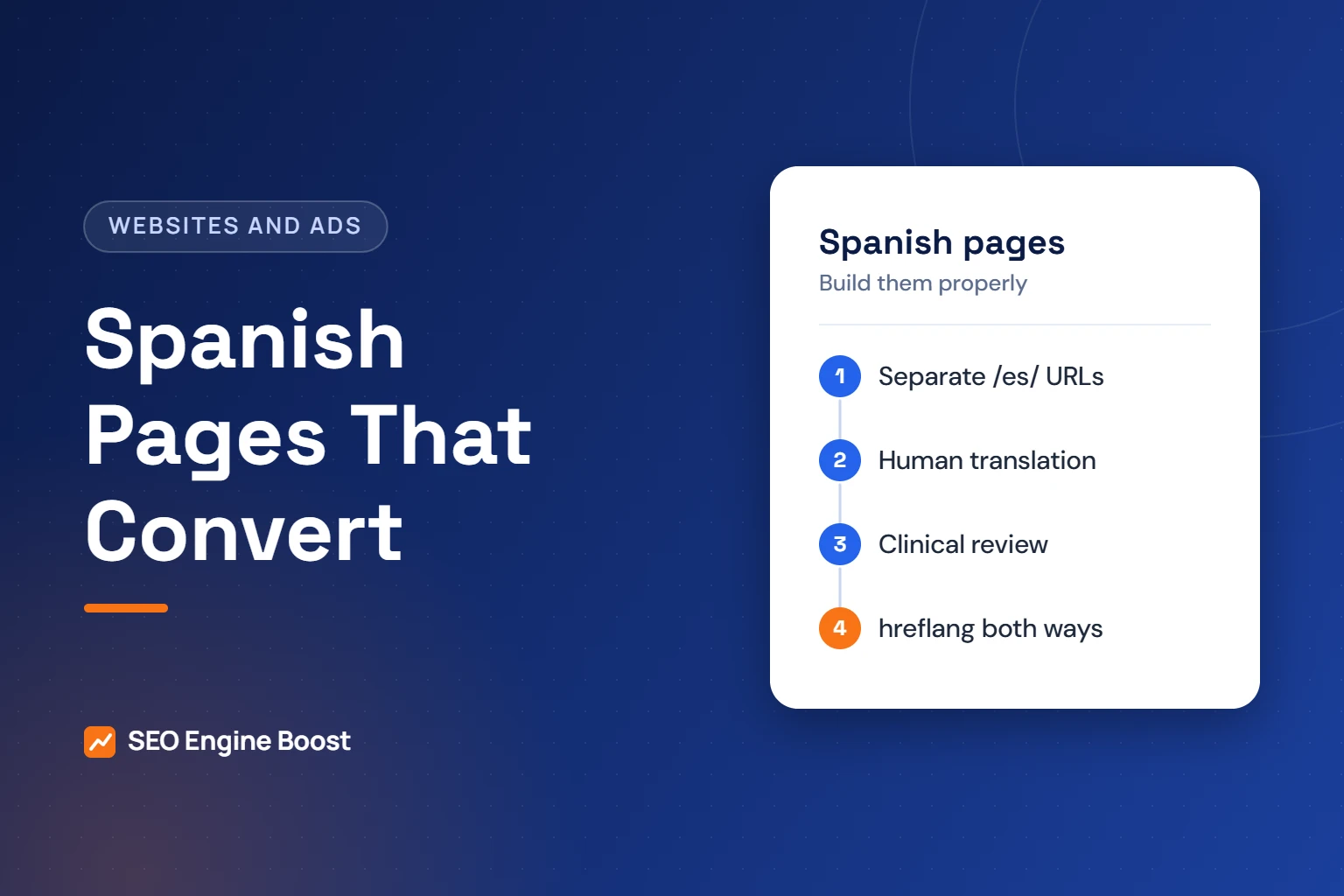
Add Spanish pages to an orthodontic website as separate URLs, such as a /es/ folder. Have a qualified person translate them, and have a clinician review the treatment content. Link each English page to its Spanish version with hreflang. Keep one Google Business Profile per office, and make sure Spanish-speaking families can book.
This guide walks through who the pages serve, translation quality, URL structure, language markup and which pages to translate first. It also covers listings, front-desk readiness and measurement. Where federal language-access rules come up, this is general information, not legal advice.
Key takeaways
- Google recommends separate URLs for each language version and says it detects language from visible content, not the lang attribute.
- hreflang links must point both ways; Google says tags are ignored if two pages do not point to each other.
- Practices covered by Section 1557 must have a qualified human translator review machine translation of critical or technical content.
- Google’s Business Profile rules allow one profile per office and do not allow repeating the business name in two languages.
In this article
- Who Spanish pages are for
- Translation quality: why clinical review matters
- URL structure: give each language its own address
- hreflang and language markup
- Which pages to translate first
- Google Business Profile and local listings
- Make the front desk match the website
- Measure what the Spanish pages do
- Frequently asked questions
Who Spanish pages are for
Spanish is the most common language other than English in US homes. The Census Bureau’s 2018-2022 estimates show Spanish was 61.1% of people who spoke a language other than English at home.
Many of those speakers are fully bilingual. The same release found 61.0% of Spanish speakers age 5 and older spoke English “very well.” The split by age matters for orthodontics.
| Spanish speakers by age (2018-2022) | Share who spoke English “very well” |
|---|---|
| Ages 5 to 17 | 79.8% |
| Ages 18 to 64 | 58.3% |
| Age 65 and older | 41.6% |
Your teen patient may be comfortable in English. The parent who signs the contract and pays may prefer Spanish. That is often the person your Spanish pages need to reach.
Check your own market before you build. County-level language tables are available on data.census.gov. Your front desk’s call log is another honest signal.
Translation quality: why clinical review matters
Orthodontic pages explain treatment, risks, costs and financing. A mistranslation can mislead a family about what treatment involves or what they owe.
Raw machine translation is a weak base for those pages. It can miss clinical meaning, sound unnatural or choose terms your local families do not use. Words for braces, for example, vary across Spanish-speaking communities.
Federal rules for some practices
Section 1557 of the Affordable Care Act applies to health programs that receive federal financial assistance from HHS. Ask your attorney whether that includes your practice.
For covered entities, 45 CFR 92.201 requires reasonable steps to give meaningful access to people with limited English proficiency. When machine translation is used for critical or technical text, “the translation must be reviewed by a qualified human translator.”
Executive Order 14224, signed March 1, 2025, revoked an earlier executive order on limited English proficiency. It also says agencies are not required to stop offering services in other languages. The eCFR still showed 92.201 as of October 15, 2026. Confirm the current status with counsel.
A practical translation workflow
- Finalize the English page first, including clinical review.
- Have a qualified translator, ideally with healthcare experience, translate it.
- Have a Spanish-speaking clinician or trained team member review treatment terms.
- Read prices, financing terms and policies against the English version line by line.
- Update both versions together whenever the English page changes.
URL structure: give each language its own address
Google “recommends using different URLs for each language version of a page.” It advises against relying on cookies or browser settings to switch content, because Google might not crawl every version.
| Approach | Example | Fit for most practices |
|---|---|---|
| Subfolder | example.com/es/brackets/ | Recommended: simple, keeps one domain |
| Subdomain | es.example.com/brackets/ | Workable, but more setup |
| URL parameter | example.com/brackets/?lang=es | Possible, but easy to misconfigure |
| Cookie or browser-based switching | Same URL, content changes | Avoid: versions may not be crawled |
| Translation widget only | Script translates on the fly | Avoid: no reviewed, indexable Spanish pages |
Google also advises against automatic redirection based on guessed language. Instead, add a visible link to the other language version on every page.
Keep one language per page. Google says side-by-side translations and pages that translate only the boilerplate can create a bad user experience.
Not sure where your practice stands? A free growth audit lists your top three fixes for Google, Maps and AI answers, in writing. Get a free growth audit · See our orthodontic marketing services
hreflang and language markup
hreflang tells Google which pages are language versions of each other. Google’s documentation sets a few firm rules:
- Each language version must list itself and all other versions.
- If two pages do not both point to each other, Google says the tags will be ignored.
- Use ISO 639-1 language codes, with an optional ISO 3166-1 region code. Use
esores-US; Google says codes such as es-419 are not supported. - Consider an
x-defaultfallback, such as your English page or a language selector. - Use HTML tags, HTTP headers or a sitemap. Google says the three methods are equivalent.
Google notes it does not use the lang attribute to detect page language. Set it anyway. WCAG Success Criterion 3.1.2, Language of Parts, expects the language of each passage to be programmatically determined. Correct markup helps screen readers pronounce Spanish text properly.
Our guide to orthodontic website accessibility covers the other WCAG basics.
Which pages to translate first
You do not need to translate every blog post on day one. Start with the pages that move a family from interest to a booked consult.
- Home page: who you are, offices, Spanish availability and how to book.
- Core treatment pages: braces, clear aligners and early treatment for children.
- Cost and financing: how fees work, insurance and payment plans. See our guide to orthodontic prices and financing on your website.
- First visit: what happens at the consult, what to bring and how long it takes.
- Booking and contact: forms, phone numbers and office hours.
- Patient forms and notices: intake forms and privacy notices that families must understand.
Translate the SEO elements too
Search engines and families see more than the body text. Translate these on every Spanish page, with the same care as the content:
- Title tags and meta descriptions, written for how Spanish-speaking families actually search
- Headings, buttons, form labels and error messages
- Image alt text and captions
- Navigation menus and footer links, so visitors are not dropped back into English
This is agency guidance, not a Google rule. Keyword habits differ by community, and some families mix English and Spanish in one search. Check Search Console after launch to see the real queries.
If your practice is a Section 1557 covered entity, 45 CFR 92.11 also requires a notice of availability of language assistance services. It must be posted in a conspicuous location on your website, if you have one.
Planning a Spanish section for your site?
Our free growth audit checks your current language setup, hreflang and booking flow, and flags what to fix first.
Google Business Profile and local listings
Spanish pages do not mean a second Business Profile. Google’s guidelines say “there should only be one profile per business” and warn against more than one page per location.
The business name rules matter too. Google does not allow repeating the same name in multiple scripts or languages. It also bans adding unnecessary information, such as service descriptions, to the name. Do not add “Se habla español” to your profile name.
Instead, make your website carry the language signal. Link from the English home page to the Spanish home page, and keep your name, address and phone number identical on both. Our guide to orthodontic directory listings explains how to keep that information consistent elsewhere.
Make the front desk match the website
A Spanish page that leads to an English-only phone call loses the family at the last step. Plan the handoff before you launch.
- Name who answers Spanish calls and when. Publish those hours on the Spanish pages.
- Route Spanish form submissions to a team member who can reply in Spanish.
- Offer consult paperwork and financing agreements in Spanish, reviewed for accuracy.
- Use qualified interpreters when no bilingual team member is available.
One rule is especially relevant to orthodontics. For covered entities, 45 CFR 92.201(e) says not to “rely on a minor child to interpret or facilitate communication,” except in emergencies. Your teen patient should not be the interpreter at their parent’s financial consult.
Spanish calls that go unanswered are still missed calls. Our guide to orthodontic missed calls shows how to track them.
Measure what the Spanish pages do
A subfolder makes measurement simple. You can filter reports by pages that start with /es/.
- In Search Console, filter the Performance report by pages containing /es/ to see Spanish queries and clicks.
- In analytics, compare consult requests that start on /es/ pages with those from English pages.
- At the front desk, ask “How did you find us?” and record the language of the call.
- Review the numbers every quarter before translating more content.
Keep the analytics setup privacy-safe. Do not send form contents or treatment details to ad platforms. Spanish pages are a website design decision as much as a content one. Our orthodontic website design service builds them with this structure from the start.
Frequently asked questions
Is Google Translate good enough for a Spanish orthodontic website?
Not on its own for treatment, cost or policy pages. Machine translation can miss clinical meaning and local word choice. For practices covered by Section 1557, federal rules require a qualified human translator to review machine translation of critical or technical text. Use a qualified translator and a Spanish-speaking clinical review instead.
Should Spanish pages use a subfolder or a separate domain?
A subfolder such as /es/ suits most practices. Google recommends separate URLs for each language version, and a subfolder keeps everything on one domain with simple reporting. A separate domain can work but adds cost and setup. Avoid cookie-based switching, which Google says may stop it from crawling every version.
Do I need a separate Google Business Profile in Spanish?
No. Google’s guidelines say there should be one profile per business and warn against creating more than one page per location. The name rules also bar repeating the business name in two languages. Keep one profile per office and let your Spanish website pages carry the language signal.
What hreflang code should I use for US Spanish pages?
Use es for Spanish in general, or es-US to target Spanish speakers in the United States. Google supports ISO 639-1 language codes with optional ISO 3166-1 region codes. It says codes such as es-419 are not supported. Each page must list itself and its English version, and both pages must point to each other.
Can my teen patient translate for their parent at the consult?
It is best avoided. Teens may miss details on treatment, risks or contracts. For covered entities, federal rules say not to rely on a minor child to interpret, except in emergencies. Plan for a bilingual team member or a qualified interpreter, especially for financial agreements and consent discussions.
Sources
- Google Search Central: Managing multi-regional and multilingual sites (last updated December 10, 2025)
- Google Search Central: Tell Google about localized versions of your page (last updated September 21, 2026)
- eCFR: 45 CFR Part 92, Nondiscrimination in Health Programs and Activities (up to date as of October 15, 2026)
- U.S. Census Bureau: Most Americans Speak Only English at Home or Speak English “Very Well” (December 7, 2023)
- Google Business Profile Help: Guidelines for representing your business on Google
- W3C: Understanding Success Criterion 3.1.2, Language of Parts (WCAG 2.1)
Keep reading
See where your practice stands
If you would like a second pair of eyes on your own practice, we offer a free growth audit: a manual review of your local visibility, website, reviews and content, with a prioritized list of what to fix first.