
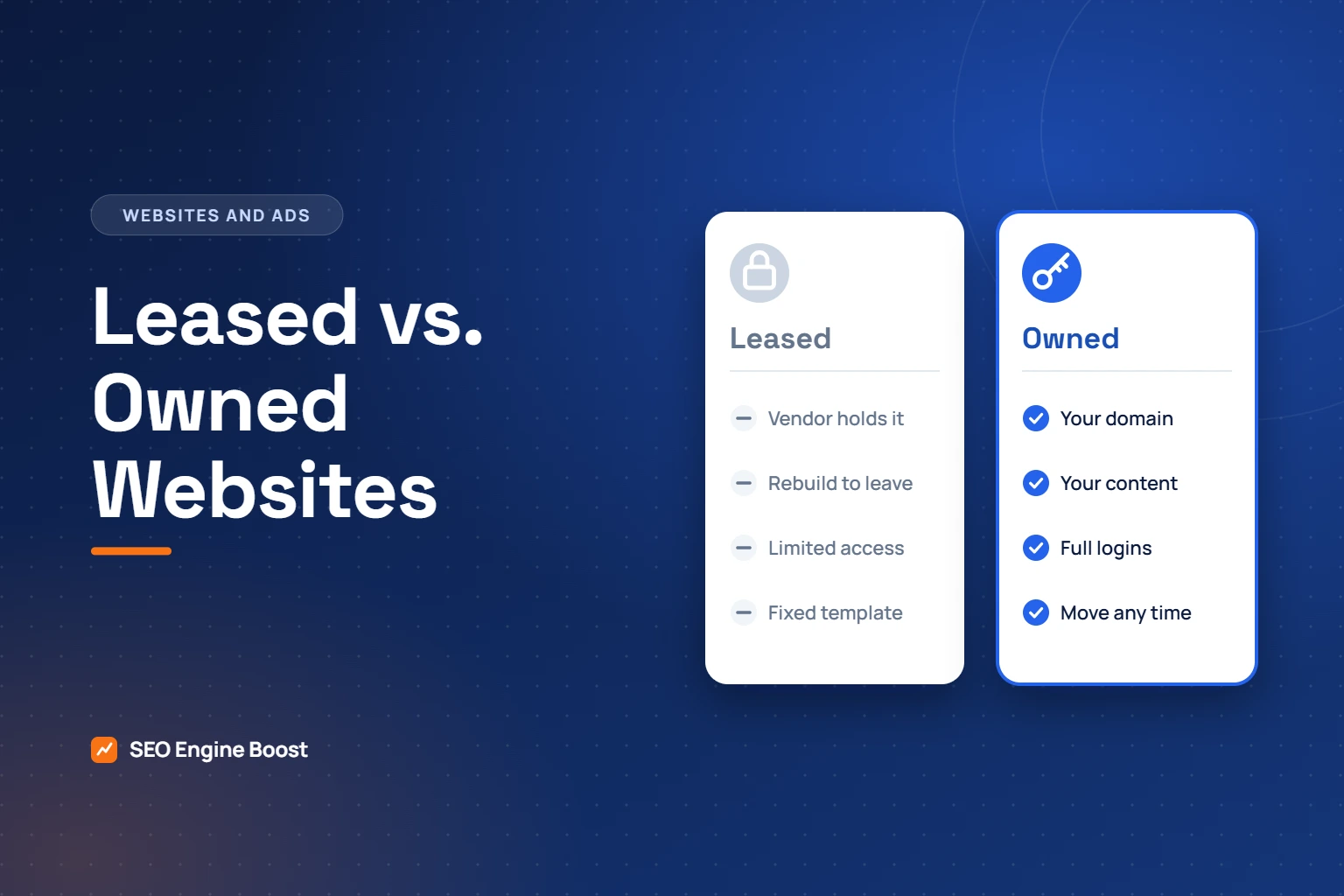
Do You Own Your Practice Website? Leased vs. Owned Explained
Do you own your practice website, or do you only pay for it? Many practices assume they own it because they pay each month. Often they do not. With a leased website, the design, the platform and sometimes the content and domain belong to the vendor, and they stay behind if you leave. Owning the site means you can change agencies, hosts or designers without losing the pages and rankings you have built.
Key takeaways
- Paying for a website does not mean you own it. With a leased site, the platform and sometimes the content stay with the vendor.
- Own six things: the domain, hosting, site files, content, your Google Business Profile and your analytics account.
- Before leaving a leased platform, save every page and redirect each old address to its new one.
In this article
- What it means to own your practice website
- What you risk with a leased site
- Is leasing ever reasonable?
- Questions to ask before you sign
- If you are already on a leased platform
- A ten-minute ownership check
- What usually belongs to whom
- Clauses to read before you sign
- What a clean handover includes
- Moving off a leased platform without losing visibility
- An illustrative example
- Signs that you are renting
- Frequently asked questions
- Choosing a platform you control
- What owning a website costs
- An annual ownership check
What it means to own your practice website
| Asset | What ownership means | How to check |
|---|---|---|
| Domain name | It is registered in your name, in an account you control | Look up who the registrar account belongs to |
| Hosting | You have the account login, or can move the site elsewhere | Ask for the hosting login |
| Website files and design | You can take a full copy at any time | Ask for an export or backup |
| Content and images | Text and photos are yours to reuse | Check the contract’s intellectual property clause |
Add two more: your Google Business Profile and your analytics account. Both should be owned by the practice, with vendors added as managers.
What you risk with a leased site
- Starting again. If the site cannot be exported, leaving means rebuilding every page.
- Losing rankings. Pages that have earned visibility disappear unless each old address is redirected to a new one.
- Less control. Closed platforms often limit what can be changed, which affects speed and SEO.
- Higher switching cost. The harder it is to leave, the less pressure the vendor is under to perform.
Is leasing ever reasonable?
Yes. A managed platform can be convenient for a practice that wants one bill and no technical decisions. The problem is not leasing itself but not knowing that you are leasing, and discovering it when you want to leave.
Not sure what you own?
Book a strategy call. We will tell you what to check and what to ask your vendor for.
Questions to ask before you sign
- Who is the registered owner of the domain?
- If we cancel, what exactly do we take with us?
- Can the site be exported and hosted elsewhere?
- Who owns the text and photography you create for us?
- Is there a minimum term, and what does it cost to leave early?
- Will you redirect our old pages if we move?
If you are already on a leased platform
- Confirm the domain is in your name. If it is not, ask for it to be transferred first.
- Save a copy of every page’s text and a list of every page address.
- Download your own photos.
- Build the new site on a platform you control.
- Redirect each old address to its closest new page on launch day.
- Watch Search Console for errors in the following weeks.
Done carefully, a move keeps most of what the old site earned. Done carelessly, it can undo years of visibility.
We build sites that practices own outright and handle migrations from leased platforms. See orthodontic website design.
A ten-minute ownership check
You can find out whether you own your practice website without any technical knowledge. Work through the list and write down the answer to each line.
- Domain. Ask who holds the login to the account where the domain is registered. If the answer is your vendor, ask for it to be moved into an account in the practice’s name. A public domain lookup can also show which registrar holds the name.
- Hosting. Ask where the site is hosted and whether you can have the login. On a closed platform the answer may be that there is no separate hosting to log in to.
- Website files. Ask for a full export or backup. If the vendor cannot provide one, the site cannot leave with you.
- Content. Read the contract for who owns the text and photographs created for you.
- Google Business Profile. Open the profile’s settings and check that the practice is listed as the owner, with others as managers.
- Analytics and advertising accounts. Check that they were created under an account the practice controls.
If you get clear answers to all six, you are in good shape. If the answers are vague or slow, that is useful to know before you need them urgently.
What usually belongs to whom
Ownership is rarely all or nothing. The table shows the common pattern. Your own contract decides the detail.
| Item | Usually yours | Usually the vendor’s | Check the contract |
|---|---|---|---|
| Domain name | When registered in your account | When the vendor registered it for you | Transfer terms and fees |
| Text you wrote or approved | Often | Sometimes licensed to you only | Intellectual property clause |
| Photographs of your office and team | When you paid a photographer directly | When supplied by the vendor’s library | Usage rights |
| Stock images and templates | Rarely | Almost always | Whether you may reuse them |
| Design and code | On an open platform you paid to have built | On a proprietary platform | Export rights |
| Reviews on your Business Profile | Stay with the profile | Not applicable | Who owns the profile |
| Analytics history | When the account is yours | When the vendor created it | Access on termination |
Clauses to read before you sign
Most disputes about websites come down to a handful of sentences in the contract. Find them and read them slowly.
- Intellectual property. Who owns the design, the text and the images, during the contract and after it ends?
- Domain. In whose name is it registered, and how is it transferred if you leave?
- Export. Can you take a working copy of the site, or only the raw text?
- Term and renewal. Does the contract renew automatically, and how much notice is required?
- Fees on leaving. Is there a charge for transferring the domain, exporting content or ending early?
- Third-party accounts. Who owns the Business Profile, analytics and advertising accounts?
If a clause is unclear, ask for it to be rewritten in plain words before you sign. A vendor who intends to treat you fairly will not mind. This article is general information, not legal advice, so ask your own counsel about your specific contract.
What a clean handover includes
When you change providers, ask the outgoing one for a handover pack. A professional vendor will have done this before.
- Login details for the domain registrar, moved into the practice’s own account.
- A full backup of the website files and database, or an export in a standard format.
- A list of every page address on the current site.
- Original photographs and logo files.
- Ownership of the Business Profile, analytics and any advertising account transferred to the practice.
- A list of any third-party tools connected to the site, such as forms, chat or scheduling.
Moving off a leased platform without losing visibility
A move is safe when it is planned. The risk comes from launching a new site and letting the old addresses disappear.
| Stage | What to do | Why |
|---|---|---|
| Before | List every page address on the old site and note which ones receive visits | You cannot redirect what you have not listed |
| Before | Save all text, photographs and form settings | The old site may be switched off on the day you leave |
| Build | Create the new site on a platform you control, with a page for each old page worth keeping | Pages that earned visibility should have a home |
| Launch | Redirect each old address permanently to its closest new page | Visitors and search engines follow the redirect |
| After | Check Search Console for errors each week for a month | Missed pages show up quickly |
| After | Keep the redirects in place | Google recommends keeping them for as long as possible, generally at least a year |
Google’s guidance on site moves recommends mapping old addresses to new ones and using permanent, server-side redirects. If the old vendor controls the domain, transfer it before anything else. Without the domain there is nothing to redirect.
An illustrative example
The example is invented. It shows how the same decision can go two ways.
Two practices decide to leave the same leased platform. The first cancels, launches a new site a week later and assumes search engines will work it out. Every old page address now leads nowhere, and pages that used to bring visitors stop doing so. The front desk notices fewer inquiries, and it takes months of repair work to recover.
The second practice spends two weeks preparing. It confirms the domain is in its own account, lists the old addresses, rebuilds the important pages, and redirects each old address on launch day. Some fluctuation follows, as it does after any move, but the pages keep their place and the practice now owns what it pays for.
The difference was not budget or skill. It was the list of addresses and the redirects.
Signs that you are renting
- Your monthly fee covers “website and marketing” with no separate line for either.
- You have never been given a login for the domain or hosting.
- The same design appears on many other practices’ websites.
- Small changes have to be requested and take days.
- The contract mentions a license to use the website rather than ownership of it.
- Nobody can tell you what you would take with you if you left.
One or two of these are common and not always a problem. Four or more suggest you should read the contract this week.
Not sure where your website stands?
A free growth audit is a manual review of your visibility, website, reviews and content, with the findings in writing.
Frequently asked questions
How do I find out whether I own my practice website?
Ask three questions in writing: who is the registered holder of the domain, can I have a full export of the site, and who owns the content you created for us? The answers settle most of it.
Is a leased website always a bad choice?
No. It can be convenient and well supported. The problem is not knowing that you are leasing, and finding out only when you want to leave.
Can a vendor keep my domain if I cancel?
That depends on whose account it is registered in and what the contract says. If it is not in your own account, ask now for it to be transferred, while the relationship is good.
Will I lose my Google rankings if I move?
Not if each old address is redirected to its new equivalent and the redirects are kept. Some movement is normal for a few weeks. Lasting losses usually come from missing redirects.
What happens to my reviews?
Reviews belong to your Google Business Profile, not to your website. They stay as long as the practice owns the profile. Check that it does.
Do I need to own the hosting as well?
You need the ability to move the site. Whether you hold the hosting account yourself or your provider does, the test is the same: can you take a complete working copy and run it elsewhere?
Who should own the analytics and ad accounts?
The practice. Vendors should be added as users. Otherwise you can lose years of data, and campaigns you have paid for, on the day you change provider.
How long does a move take?
For a typical single-location site, a few weeks of preparation and building, then a launch day and a month of checking. Rushing the preparation is what causes losses.
Can you handle the move for us?
Yes. We build sites that practices own outright and manage migrations from leased platforms, including the redirects. See orthodontic website design, and read nine orthodontic website mistakes before you brief anyone.
Choosing a platform you control
Owning a site is easier on some platforms than others. When you compare options, look for these qualities.
- You can export everything. Pages, images and settings can be taken out in a standard format.
- Any competent developer can work on it. The site does not depend on one company’s proprietary tools.
- Hosting can be changed. You are free to move the site to a different host without rebuilding it.
- You hold the administrator login. Your provider works with an account you can remove.
- Each page can be edited individually. Titles, headings and content are not locked to a template.
Widely used open-source systems meet these tests, which is one reason they are popular for practice websites. A proprietary platform can still be a reasonable choice if the contract gives you a real export and clear ownership of the content.
What owning a website costs
Ownership has costs of its own, and it is fair to compare them with a lease.
| Cost | Owned site | Leased site |
|---|---|---|
| Building the site | Paid once, usually the largest single cost | Often spread across the monthly fee |
| Hosting and domain | Paid yearly, usually modest | Included |
| Updates and security | Your responsibility, or a small maintenance plan | Included |
| Changes to pages | Paid by the hour or included in a retainer | Often included, sometimes slow |
| Leaving | Notice period only | May mean rebuilding from nothing |
A lease can look cheaper at the start and cost more over several years, mostly because of the last row. Work out the total over three to five years before you decide, and include what it would cost to leave.
An annual ownership check
Put a reminder in the calendar once a year, and confirm five things.
- The domain is registered in the practice’s account, set to renew automatically, with a current payment card and contact email.
- The practice has administrator access to the website, the Business Profile, analytics and any advertising account.
- People who have left the practice, and vendors you no longer use, have been removed from every account.
- A recent backup of the website exists and you know where it is.
- The contract with your web provider still says what you think it says.
Ten minutes a year prevents the most common ownership problems. Domains that lapse because a card expired, and accounts controlled by a former employee, cause more trouble than any contract clause.
Keep reading
See where your practice stands
If you would like a second pair of eyes on your own practice, we offer a free growth audit: a manual review of your local visibility, website, reviews and content, with a prioritized list of what to fix first.