How to Check Whether ChatGPT Recommends Your Orthodontic Practice
To check whether ChatGPT recommends your orthodontic practice, run 10 to 15 patient-style questions in ChatGPT, Gemini and Google. Run each one several times, from a session near your office. Record whether you are named, linked and described correctly. Track the share of answers that mention you, not your position in one list.
A single search tells you very little, because AI answers change from one run to the next. This guide shows how to build a fair test and what to record. It also covers which fixes are worth your time if your practice is missing or described wrongly.
Key takeaways
- AI recommendation lists rarely repeat. A 2026 SparkToro study found under a 1 in 100 chance of the same brand list twice.
- Measure visibility: the share of answers that mention your practice across many runs.
- Location, memory and the search providers behind each tool can change the answer.
- You cannot edit an AI answer directly. Fix the sources it reads: your website, Business Profile and listings.
In this article
- Why one search is not a real check
- What shapes the answer you see
- Build a prompt set your patients would use
- How to run the check, step by step
- What to record for each answer
- How to read your results
- If your practice is not mentioned
- If the AI gets your details wrong
- How often to recheck and how to report it
- Frequently asked questions
Why one search is not a real check
Many owners type “best orthodontist near me” into ChatGPT once and draw a conclusion. That result is a single draw from a moving target.
SparkToro and Gumshoe.ai tested this in late 2025. About 600 volunteers ran 12 prompts through ChatGPT, Claude and Google’s AI, for 2,961 runs in total. The study, published in January 2026, found these patterns:
- There was under a 1 in 100 chance that ChatGPT or Google’s AI would give the same list of brands in two responses.
- The same list in the same order came up about once in 1,000 runs.
- Some names still appeared consistently. City of Hope, a Los Angeles cancer hospital, appeared in 69 of 71 ChatGPT answers. It was the top mention in only 25 of them.
- The authors concluded that visibility percentage across many runs is a reasonable metric. They called rank positions in AI unreliable.
For a practice, the takeaway is clear. Ask whether you appear in most answers, not whether you were first once.
What shapes the answer you see
Each tool builds its answer differently. The vendors’ own help pages explain some of the inputs.
| Tool | What can change the answer | Source of the claim |
|---|---|---|
| ChatGPT | Approximate location from your IP address, saved memory, and partner search providers that receive rewritten queries | OpenAI Help Center |
| ChatGPT | Whether a site allows OpenAI’s search crawler, OAI-SearchBot | OpenAI crawler documentation |
| Gemini | General area from your IP or saved Home and Work addresses; some answers are grounded on Google Search results | Gemini Apps Privacy Hub |
| Google AI Overviews | Related sub-searches (query fan-out) and indexed pages that can show a snippet | Google Search Central |
Two points matter most for orthodontists. First, location shapes local answers, so test from your own area. Second, OpenAI says saved memory can influence the searches it runs. Your personal account may not reflect what a new patient sees.
OpenAI also says local results in ChatGPT can include nearby businesses, and on its mobile apps, a map. That makes your listing details as important as your website.
Build a prompt set your patients would use
Write prompts the way patients and parents talk. Mix general, treatment and comparison questions. Replace the brackets with your own city and neighborhoods.
- “Who is the best orthodontist in [city]?”
- “Orthodontist near [neighborhood] that takes [insurance plan]”
- “Where can my 8-year-old get an orthodontic evaluation in [city]?”
- “Best place for Invisalign for adults in [city]”
- “Affordable braces with payment plans in [city]”
- “Orthodontist in [city] open on Saturdays”
- “Is [practice name] a good orthodontist?”
- “[practice name] vs [nearby practice] for braces”
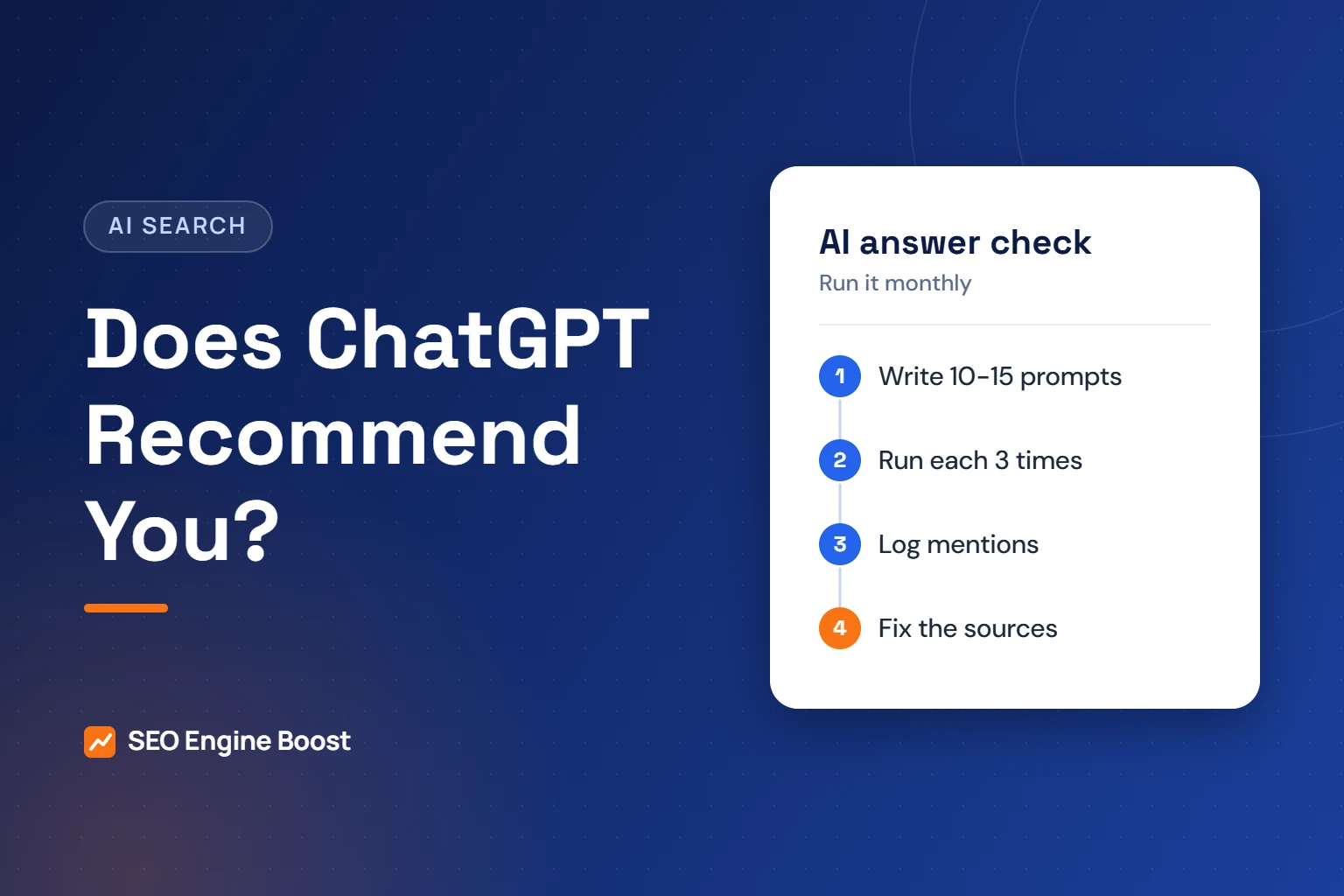
Aim for 10 to 15 prompts in total. Include at least two that name your practice. Those show whether the tools describe you correctly, which matters as much as being recommended.
If many of your patients search in Spanish or another language, add two or three prompts in that language. Test the same intents in both languages, since the answers may differ.
How to run the check, step by step
Consistency is what makes the results useful. Run the test the same way each time.
- Pick your tools. Use ChatGPT, Gemini and Google Search, where AI Overviews may appear.
- Use a clean session. Avoid an account with saved memory about your practice. A staff member’s personal account can also skew the results.
- Test from your service area. Location affects local answers, so run the check from the office or nearby.
- Run each prompt three times. Start a new chat for each run. Three runs per prompt is agency guidance, not a research standard.
- Save the evidence. Take a screenshot or copy the answer and its cited sources into a spreadsheet.
- Repeat monthly. Use the same prompts and the same process so the months compare fairly.
Here is a hypothetical example. A practice runs 12 prompts three times in each of three tools, for 108 answers. It is named in 27 of them. Its visibility is 25%. Next month, the same test gives the trend.
What to record for each answer
Use one row per answer in a spreadsheet. These fields cover what matters.
| Field | What to note | Why it matters |
|---|---|---|
| Mentioned | Yes or no | The base of your visibility score |
| Recommended | Named as a suggested choice, not just listed | Shows how the tool frames you |
| Linked | Your website or Business Profile cited as a source | Shows which pages the tool trusts |
| Accuracy | Address, hours, doctors, treatments and insurance correct | Wrong facts cost calls |
| Competitors named | Which practices appear instead | Shows who you are up against |
| Sources cited | Directories, review sites, news or blogs | Points to where to improve |
Our free AI visibility checker gives a quick 15-question readiness score. Use it alongside the prompt test, not instead of it.
Not showing up in AI answers?
We can run a structured AI visibility check for your practice and show which sources to fix first.
How to read your results
Your spreadsheet will usually show one of four patterns. Each points to a different fix. The table below is agency guidance.
| Pattern | What it usually means | First fix |
|---|---|---|
| Named often, details correct | Your sources are in good shape | Keep listings and pages current |
| Named, but details wrong | An outdated source is being read | Fix the cited listing or page |
| Named only when prompts include your name | The tool knows you but does not rank you as a choice | Strengthen treatment pages, reviews and local mentions |
| Not named; competitors named | Your site or listings are thin or not reachable | Check crawler access, then your Business Profile |
Look at the sources cited next to competitor names. If the same review site or local directory keeps appearing, that is where to focus first. Our guide to how AI search picks orthodontists explains these signals in more depth.
Google results deserve their own column. An AI Overview may appear for some prompts and not for others. Our guide to Google AI Overviews and orthodontic searches explains how to measure that part separately.
If your practice is not mentioned
Start with access, then work outward. The first two items come from vendor documentation. The rest is agency guidance.
- Allow OpenAI’s search crawler. OpenAI says sites that opt out of OAI-SearchBot will not be shown in ChatGPT search answers. Check your robots.txt and any firewall rules.
- Confirm Google can index your key pages. Google says AI Overviews draw on indexed pages that can show a snippet.
- Complete your Google Business Profile. Categories, hours, services and photos should be current. Our Google Business Profile checklist covers each field.
- Keep listings consistent. Your name, address and phone should match across directories. See our guide to orthodontic directory listings.
- Publish clear treatment pages. Each page should answer one question well and say who reviewed it.
- Earn honest reviews and local mentions. Ask every patient for a review, and never offer rewards for positive ones.
Blocking GPTBot is a separate choice. OpenAI says GPTBot relates to model training, while OAI-SearchBot controls search inclusion. You can allow one and block the other.
If the AI gets your details wrong
Wrong details happen. OpenAI itself warns that search results can be incomplete, outdated or incorrect. Google warns that Gemini can present inaccurate information as fact.
You cannot correct an AI answer directly. You can fix the pages it reads. Check the sources cited in the wrong answer first. Then update your website, Business Profile and the directories involved.
- Old address or phone: update every listing, then recheck in a month.
- Wrong doctor names or credentials: fix your team page and directory profiles.
- Treatments you do not offer: state clearly on your site which treatments you provide.
- Outdated hours: update your Business Profile first, since many tools pull local details from listings.
The last point is agency guidance based on what we see cited. It is not a documented rule from any AI vendor.
How often to recheck and how to report it
Monthly checks suit most single-office practices. Groups with several offices may want to check each location. This cadence is agency guidance.
Report three numbers to your team each month: overall visibility, accuracy errors found, and errors fixed. Keep the prompt list stable for at least a quarter, so changes reflect your work rather than new questions.
Note any big changes on your side in the same log, such as a new website, an office move or a new doctor. That makes it easier to link a change in visibility to its likely cause.
AI answers sit on top of ordinary search signals. Our AI search optimization for orthodontists service covers the full process, from crawler access to listings and content.
If the check shows gaps, our orthodontic SEO work covers the facts, mentions and schema markup AI assistants rely on.
Frequently asked questions
Why does ChatGPT give a different answer every time?
AI tools generate each answer fresh. A January 2026 SparkToro study found under a 1 in 100 chance of the same brand list twice. That applied to both ChatGPT and Google’s AI. Location, saved memory and the search results the tool pulls can also change. That is why you should run each prompt several times.
Can I pay to be recommended by ChatGPT?
We have not seen any program that lets a practice pay for an organic ChatGPT recommendation. OpenAI says placement in search answers is not guaranteed. Be wary of anyone promising guaranteed AI rankings. Focus on crawler access, accurate listings, reviews and clear treatment pages, which are the sources these tools draw from.
Does blocking GPTBot remove my practice from ChatGPT?
Not from search answers, according to OpenAI. GPTBot relates to training data. OAI-SearchBot controls whether your site can appear in ChatGPT search answers. Sites that opt out of OAI-SearchBot will not be shown there. Check your robots.txt so you do not block the search crawler by accident.
How many prompts should we test?
We suggest 10 to 15 prompts, each run three times in each tool, once a month. That is agency guidance, not a research standard. The SparkToro study suggests that more runs give a more reliable visibility percentage. Keep the same prompts for at least a quarter so results compare fairly.
Who at the practice should run this check?
A practice manager or treatment coordinator can run it in about an hour a month. Use a clean account without saved memory about the practice. Record each answer in a shared spreadsheet. Share the results with the doctor and your marketing partner, and agree on one fix to make each month.
Sources
- SparkToro: NEW Research: AIs are highly inconsistent when recommending brands or products (Jan 27, 2026)
- OpenAI Help Center: ChatGPT search
- OpenAI: Overview of OpenAI Crawlers
- Google: Gemini Apps Privacy Hub (updated Oct 13, 2026)
- Google Search Central: AI features and your website (last updated Dec 10, 2025)
Keep reading
See where your practice stands
If you would like a second pair of eyes on your own practice, we offer a free growth audit: a manual review of your local visibility, website, reviews and content, with a prioritized list of what to fix first.
Get a quick baseline: use our free AI visibility checker to score your AI search readiness in 15 questions.