
Orthodontic Website Accessibility: ADA, WCAG and HHS Rules
Orthodontic website accessibility means patients with disabilities can use your site, including screen reader and keyboard users. The ADA applies to practices, but DOJ has no website rule for private businesses. If you take Medicaid or CHIP, HHS’s Section 504 rule requires WCAG 2.1 AA, now by May 2027 or May 2028.
This guide explains which rules apply and when. It then covers common failures and fixes. It also explains why overlays are not a shortcut and which free tools to test with. It is general information, not legal advice. Ask a healthcare attorney how the rules apply to your practice.
Key takeaways
- DOJ guidance says the ADA covers business websites, but there is no detailed DOJ technical rule for private practices.
- HHS’s Section 504 rule requires WCAG 2.1 AA for recipients of HHS financial assistance, which HHS says includes providers in Medicaid and CHIP.
- HHS moved the 504 web deadlines to May 11, 2027 for 15 or more employees and May 10, 2028 for smaller recipients.
- Fix real code issues such as contrast, alt text and form labels. An overlay widget alone does not make a site compliant.
In this article
- Which accessibility rules apply to an orthodontic practice
- ADA Title III: covered, but no DOJ website rule
- The April 2024 Title II rule applies to governments, not practices
- The HHS Section 504 rule and its updated dates
- The most common accessibility failures
- A practical fix checklist
- Why overlay widgets are not a shortcut
- Assign ownership and keep records
- How to test your site
- Frequently asked questions
Which accessibility rules apply to an orthodontic practice
Three federal rules come up most often. Only some apply to a private orthodontic practice. The table summarizes them as of October 2026.
| Rule | Who it covers | Website standard | Key dates |
|---|---|---|---|
| ADA Title III | Businesses open to the public, including dental practices | No DOJ technical rule; WCAG cited as helpful guidance | Applies now |
| ADA Title II web rule (April 2024) | State and local governments only | WCAG 2.1 AA | April 26, 2027 or April 26, 2028, by population |
| HHS Section 504 rule (May 2024) | Recipients of HHS federal financial assistance, including providers in Medicaid and CHIP | WCAG 2.1 AA | May 11, 2027 (15+ employees) or May 10, 2028 (fewer than 15) |
Most private practices fall under Title III. Practices that take Medicaid or CHIP may also be HHS recipients under Section 504. Ask your attorney which applies to you.
ADA Title III: covered, but no DOJ website rule
The Department of Justice published web accessibility guidance on March 18, 2022. It says the ADA’s requirements “apply to all the goods, services, privileges, or activities offered by public accommodations,” including web content.
The same page says “The Department of Justice does not have a regulation setting out detailed standards.” Businesses “have flexibility in how they comply.” DOJ names WCAG and the Section 508 Standards as helpful references.
Flexibility is not an exemption. DOJ lists common barriers such as poor color contrast and missing alt text. Patients who cannot book, read your forms or find your phone number are being shut out.
For a private practice, WCAG 2.1 AA is the practical target. It is the standard DOJ chose for governments and HHS chose for its recipients. Meeting it gives you a clear, defensible benchmark even without a Title III rule.
The April 2024 Title II rule applies to governments, not practices
In April 2024, DOJ published a Title II rule for web content and mobile apps. It adopts WCAG 2.1 Level AA as the technical standard. DOJ says it applies to state and local governments.
An interim final rule on April 20, 2026 moved the dates. Larger governments now have until April 26, 2027, and smaller ones until April 26, 2028.
A private orthodontic office is not a state or local government. The Title II rule still matters as a signal. It shows that WCAG 2.1 AA is the federal benchmark for web accessibility.
The HHS Section 504 rule and its updated dates
HHS published its updated Section 504 rule in May 2024. It covers programs that receive HHS federal financial assistance. HHS’s fact sheet lists “health care providers participating in CHIP and Medicaid programs” as examples.
The rule requires web content and mobile apps to meet WCAG 2.1 Level AA. If your practice treats Medicaid or CHIP patients, this rule may apply to your website and patient portal.
The new compliance dates
HHS issued an interim final rule effective May 7, 2026. It was published in the Federal Register on May 11, 2026. It extended each web and mobile deadline by one year.
| Recipient size | Original date | Extended date |
|---|---|---|
| 15 or more employees | May 11, 2026 | May 11, 2027 |
| Fewer than 15 employees | May 10, 2027 | May 10, 2028 |
HHS said the original dates were “unlikely to be met by a significant number of recipients.” The comment period closed July 6, 2026. HHS also said it will consider whether more rulemaking is needed. We found no further change as of October 2026, but check the Federal Register before you plan around these dates.
The extension adds time, not an exemption. HHS said recipients must still make web content accessible to people with disabilities.
The most common accessibility failures
WebAIM tests the home pages of the top one million websites each year. Its February 2026 scan found detected WCAG 2 failures on 95.9% of home pages, with 56.1 errors per page on average.
| Failure type | Share of home pages (WebAIM 2026) | Example on a practice site |
|---|---|---|
| Low contrast text | 83.9% | Light gray text on a white hero image |
| Missing image alt text | 53.1% | Before-and-after photos with no description |
| Missing form input labels | 51% | Consult request fields with placeholder text only |
| Empty links | 46.3% | Social media icons with no text label |
| Empty buttons | 30.6% | A menu or chat button with only an icon |
| Missing document language | 13.5% | No language set on Spanish pages |
These are not orthodontic-specific figures. Practice sites use the same themes and plugins, so the same issues are worth checking. Our list of orthodontic website mistakes covers related conversion problems.
A practical fix checklist
This checklist is agency guidance mapped to common WCAG 2.1 AA issues. It is a starting point, not a full audit.
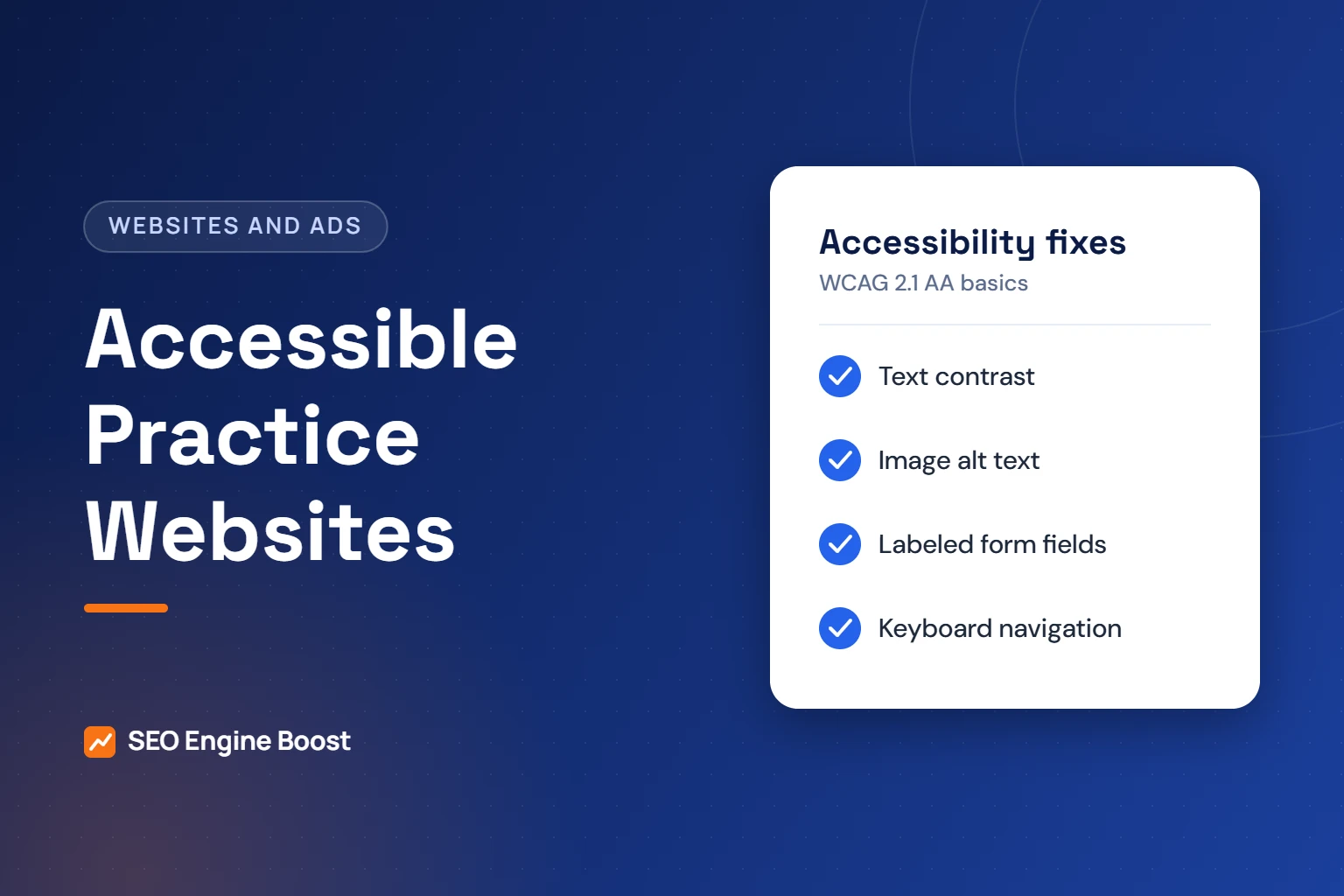
- Contrast. Make body text and buttons meet WCAG contrast ratios. Avoid text placed over busy photos.
- Alt text. Describe meaningful images, such as “Teen smiling with clear aligners.” Mark decorative images so screen readers skip them.
- Forms. Give every field a visible label. Announce errors in text, not only color.
- Keyboard use. Tab through every page. Menus, booking widgets and pop-ups must work without a mouse and show a visible focus outline.
- Links and buttons. Give icon links a text name. Replace vague “Click here” links with clear wording.
- Headings. Use one H1 and logical H2 and H3 levels so screen reader users can navigate.
- Video. Add captions to treatment videos and patient stories.
- Third-party tools. Ask booking, chat, payment and review vendors for their accessibility documentation.
- Documents. Replace scanned PDF forms with accessible web forms or tagged PDFs.
Want an accessibility check with your SEO review?
Our free growth audit flags the most visible accessibility issues on your site alongside search and conversion problems.
Why overlay widgets are not a shortcut
Accessibility overlays are scripts that add a toolbar or auto-fix layer to a site. Some vendors have marketed them as a quick path to compliance. Regulators have pushed back on those claims.
In April 2025, the FTC approved a final order requiring accessiBe to pay $1 million. The FTC said accessWidget did not make all sites WCAG-compliant. It called those claims “false, misleading, or unsubstantiated.” The order bars accessiBe from claiming its automated products can make any website WCAG-compliant without evidence.
The safer approach is to fix the underlying code and content. A tool can help monitor issues, but it does not replace manual fixes and testing.
Before you sign with any accessibility vendor, ask what it actually fixes. Ask whether it changes your source code or only adds a layer on top. Ask for a sample audit report and the names of the people who test manually.
Assign ownership and keep records
Accessibility is not a one-time project. Every new page, photo and form can add new issues. Give someone in the practice clear ownership.
- Owner. Name one person, often the practice manager, who tracks issues and vendor fixes.
- Accessibility statement. Publish a short page that names a phone number and email for patients who hit a barrier.
- Content rules. Train whoever posts blogs or photos to add alt text, use headings and caption videos.
- Vendor contracts. Ask your web developer to commit to WCAG 2.1 AA in writing for new work.
- Records. Keep dated test results and fix logs. They show good-faith progress if questions arise.
Review your top pages each quarter and after any redesign. If a patient reports a barrier, respond quickly and offer another way to book while you fix it. Fast phone follow-up matters here too, as our guide to consultation request follow-up explains.
How to test your site
Combine free automated tools with manual checks. Automated tools catch only part of the problem.
- WAVE from WebAIM highlights contrast, alt text and label issues on any page.
- axe DevTools and Lighthouse run accessibility checks inside Chrome developer tools.
- Keyboard test. Put the mouse away and try to request a consult using only the Tab and Enter keys.
- Screen reader test. Try NVDA on Windows or VoiceOver on Mac and iPhone on your top pages.
- Zoom test. Zoom the browser to 200% and confirm nothing overlaps or disappears.
Automated scores are a starting point. A page can pass an automated scan and still be hard to use with a keyboard or screen reader. Manual checks on your consult form matter most, because that is where patients convert.
Start with your highest-traffic pages: home, contact, consult request, pricing and financing. Then fix site-wide templates so improvements apply everywhere. If you are planning a rebuild, put WCAG 2.1 AA in the scope from day one. Our orthodontic website design service builds it into every template. Our guide to owning your practice website explains why you should control the code you fix.
Frequently asked questions
Does the ADA require orthodontic websites to meet WCAG?
DOJ guidance says the ADA applies to business websites, but DOJ has no regulation setting detailed technical standards for private businesses. It names WCAG as helpful guidance. Practices that receive HHS financial assistance, such as through Medicaid or CHIP, face a separate Section 504 rule that requires WCAG 2.1 AA. Ask an attorney about your situation.
When must practices that take Medicaid meet the HHS 504 web rule?
After an interim final rule effective May 7, 2026, recipients with 15 or more employees have until May 11, 2027. Recipients with fewer than 15 employees have until May 10, 2028. HHS said it may consider more rulemaking, so check the Federal Register for any later changes before planning.
Will an accessibility overlay widget make my site compliant?
Do not rely on one. In April 2025, the FTC finalized a $1 million order against accessiBe. It said claims that the widget made sites WCAG-compliant were false, misleading or unsubstantiated. Fixing the site’s code and content, then testing manually, is the more reliable route.
What are the most common accessibility errors on websites?
WebAIM’s 2026 scan of one million home pages found low contrast text on 83.9% of them. Missing alt text appeared on 53.1% and missing form labels on 51%. Empty links and empty buttons were also common. These are general web figures, not orthodontic-specific data, but practice sites often share them.
Does accessibility help SEO?
Often, yes, though it is not a ranking guarantee. Clear headings, descriptive link text, alt text and captions help search engines and AI tools understand your pages. They also help patients complete consult requests. We treat accessibility fixes as part of good website quality, not as a ranking trick.
Sources
- U.S. Department of Justice (ADA.gov): Guidance on Web Accessibility and the ADA (March 18, 2022)
- U.S. Department of Justice (ADA.gov): Fact Sheet, New Rule on the Accessibility of Web Content and Mobile Apps (Title II)
- HHS Office for Civil Rights: Section 504 Final Rule Fact Sheet
- Federal Register: Extension of Compliance Dates for Nondiscrimination on the Basis of Disability; Accessibility of Web Content and Mobile Apps (May 11, 2026)
- FTC: FTC Approves Final Order Requiring accessiBe to Pay $1 Million (April 22, 2025)
- WebAIM: The WebAIM Million, 2026 report
Keep reading
See where your practice stands
If you would like a second pair of eyes on your own practice, we offer a free growth audit: a manual review of your local visibility, website, reviews and content, with a prioritized list of what to fix first.